
Small advice firms can overlook how important it is to scale back-office processes alongside their team. Each new client, provider, or review cycle adds more admin, more checks, and more follow-ups. Before long, advisers and support staff spend a large part of their week on work that does not move advice forward.
When small advice firms start to automate their back office processes, the goal is not to simply achieve automation readiness by adopting more and more complex technologies. Rather, the goal is to unlock workflow automation benefits where repetitive, error-prone work that slows advice delivery and distracts people from clients are removed.
In this blog, we give you a clear starting point to begin your small advice firm back office automation, breaking down the key areas to automate first and the benefits associated with such automation.
Why Starting With the Right Processes Matters
Automation choices matter just as much in small firms as in large ones.
Small teams feel automation mistakes immediately. With no spare capacity to absorb failed workflows or half-finished projects, over-ambitious automation efforts often stall because they try to fix everything at once.
The strongest workflow automation benefits come from starting with repetitive, rule-based admin work. These are high-frequency tasks that follow the same steps every time and involve low-judgement activities. Automating them reduces pressure quickly and builds confidence in the system.
The aim is fast return on effort, not complexity. Early automation should lower operational risk, improve staff efficiency, and create momentum. This is what strong admin task prioritisation looks like in practice.
Key Areas to Automate First
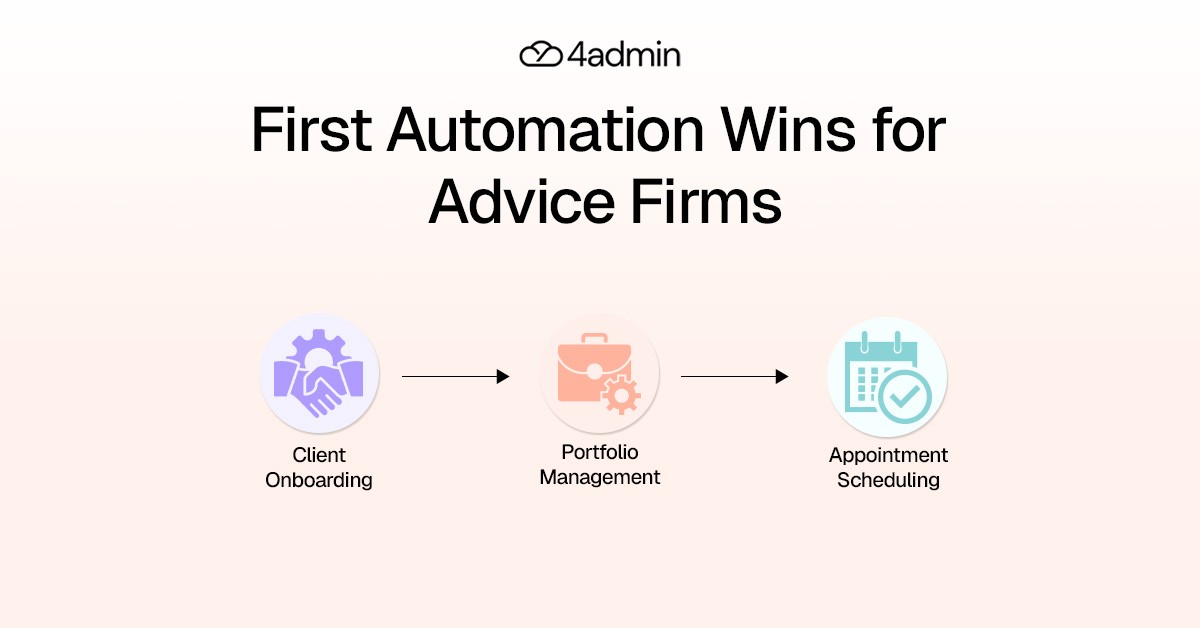
Client Onboarding
Client onboarding has one of the strongest overlaps between impact and simplicity. Onboarding is repetitive, compliance-heavy, and highly visible to clients.
Common back office processes here include:
Collecting client details and fact-find data.
Running KYC and AML checks.
Storing and retrieving documents.
Creating internal tasks and checklists.
What to Automate Here: Automate document collection, data capture, and checklist creation. Use workflow automation to trigger KYC and AML checks, store documents centrally, and automatically create tasks as each onboarding stage progresses.
The Benefit:
Onboarding timelines shorten, consistency improves, and nothing falls through the cracks. Staff efficiency increases without changing how advice is delivered, and clients experience a smoother, more professional start.
LoA Handling and Provider Data
Letters of Authority sit at the centre of advice firm operations. This is a classic back office bottleneck when manual LoA handling creates delays that ripple through onboarding, transfers and reviews.
Typical tasks include:
Routing LoAs to providers.
Extracting policy information from responses.
Checking for missing or inconsistent data.
Updating internal systems.
What to Automate Here: Automate LoA submission, data extraction, completeness checks. Use structured workflows to flag missing or inconsistent provider data and update internal systems automatically.
The Benefit:
Automating how LoAs, provider data and CRM updates are handled reduces turnaround times for clients. Advice workflows move faster, chasing decreases, and teams gain visibility which shortens other downstream processes.
Data Entry and Data Management
Manual data work is one of the biggest hidden drains on time in small advice firms.
This includes:
Re-keying data into CRMs and platforms.
Extracting information from PDFs and provider packs.
Keeping records in sync across systems.
Correcting manual errors.
What to Automate Here: Automate data extraction from documents and provider packs. AI tools can extract structured data from provider documents and push it directly into your CRM. Sync data through CRM integration so records stay aligned across your tech stack.
The Benefit:
Data accuracy improves immediately with document handling automations. Admin and paraplanners spend less time on repeatable admin processes and more time on higher-value work. Downstream rework during reviews, audits, and client updates also drops sharply.
For resource constrained teams, this type of automation delivers immediate staff efficiency gains.
CRM Operations and Automated Data Sync
CRMs often become a source of friction rather than efficiency.
Without automation, teams spend time:
Updating the same data in multiple places.
Fixing inconsistencies.
Filling gaps before reports or reviews.
What to Automate Here: Use automated data sync to keep CRM records updated as information flows in from onboarding, LoAs, and documents. Enforce required fields and standard data structures.
The Benefit:
Records stay accurate without manual intervention. This builds a scalable operations foundation and improves visibility across advisers and operations teams.
Scheduling, Reminders, and Follow-Ups
This is one of the fastest areas for quick win automation.
Common examples include:
Booking meetings.
Sending confirmations and reminders.
Reducing no-shows.
Triggering internal follow-ups.
These tasks are mostly repeatable and rules-based. Automating them delivers visible time savings with minimal risk and very little process maturity required.
What to Automate Here: Automate booking flows, confirmations, reminders, and internal follow-up tasks using simple rules-based workflows.
The Benefit:
Admin time significantly drops, and advisers regain control of their calendars. This is a classic quick win automation for resource constrained teams.
Income reconciliation
Manual review of income statements from platforms and adding them to the CRM adds unnecessary admin. While these workflows are predictable, they are time-consuming.
What to Automate Here: Early automation can speed up processes like-
Platform to CRM integrations where possible.
Income statement automation and data extraction.
Automated uploads into the CRM.
The Benefit:
This improves data integrity and reduces admin load freeing up resources for client-facing advice tasks. It is a sensible next step once core admin workflows are stable.
Compliance Logging and Reporting
Compliance work often builds quietly in the background. Activity logs, document trails, and reporting preparation are either handled late or manually, increasing pressure during audits and reviews.
What to Automate Here: Automate activity logging, document trails, review reminders, and reporting preparation while keeping human oversight in place.
The Benefit:
Risk and compliance automation reduces admin effort and strengthens audit readiness without overwhelming the team or replacing human judgement or oversight.
What Small Advice Firms Should Not Automate First
Some areas are better left manual in the early stages.
Avoid automating:
Advice modelling and recommendations.
Judgement-heavy planning decisions.
Complex, non-standard workflows.
Client conversations and relationship management.
Automation should protect your firm’s advice quality. If a process lacks clarity or relies heavily on judgement, it is not automation-ready.
How to Roll Out Automation Without Disrupting the Firm
Successful automation starts with honest workflow analysis.
Practical steps to take include:
Starting with one workflow.
Mapping the current process as it actually is.
Removing unnecessary steps first.
Identifying obvious inefficiencies next.
Measuring time saved and error reduction.
Training the team and gathering feedback.
Expanding only once value is proven.
Small wins through these small steps build trust and momentum. This approach improves automation readiness and avoids stalled projects.
Automate Small Advice Firm Back Office with 4admin
4admin focuses on automating high-volume back office workflows.
It helps small advice firms:
Automate repeatable admin processes.
Handle unstructured provider and LoA data.
Improve data accuracy and automation outcomes.
Reduce manual admin across onboarding and CRM operations.
Build a scalable operations foundation as the firm grows.
Automation should grow with the firm, not outpace it.
Final Thoughts
For small advice firms, the best automation is not the most advanced. It is the one that removes daily friction quickly and reliably.
By starting with onboarding, data handling, and LoAs, firms can reduce back office bottlenecks, multiply staff efficiency gains, and reclaim lost time and team productivity. That in turn, creates the confidence and process maturity needed to scale, without burning out the team or compromising advice quality.
Looking to improve efficiency across your financial operations? 4admin Back Office Automation for Financial Services helps firms streamline internal processes and reduce operational bottlenecks. Book a demo with 4admin to see the platform in action.
FAQs
What Is the First Thing To Be Done in Automation?
First things first, map and standardise your firm's existing process to make sure that you’re not automating chaos.
What Is Back Office Automation?
Back office automation uses software to handle repetitive internal tasks like data entry, compliance, reporting, and workflows with minimal human intervention.
What to Automate First?
Start with high-volume, low-complexity tasks that are time-consuming and rule-based.
What Are the 4 Stages of Process Automation?
Identify and analyse the process.
Design and build the automation.
Implement and integrate it.
Monitor and optimise continuously.
Ready to automate your admin processes?
Learn how you can reduce admin backlog, ensure compliance, and increase capacity.