
Most small firms don't have a tech problem. They have a structure problem.
A CRM here. A planning tool there. A platform login, followed by a document management system. Then email workflows layered on top. Individually each component seems useful. When viewed collectively, they appear to be fragmented.
Over time, this becomes the default integration architecture for small advice firms; where the problem isn’t a lack of software. It’s a lack of structure.
When that structure is unclear, manual work fills the gaps. Staff re-key data. Spreadsheets become bridges. Admin time expands quietly.
This blog helps you understand that what looks like a people problem is actually a system architecture problem. From core integration architecture principles to key integration layers, this blog helps small advice firms rethink their approach.
What Is Integration Architecture?
Integration architecture is simply the structure that determines how your systems talk to each other. It's the design of how your core systems connect, share data, and trigger actions.
In a small advice firm, that typically includes:
A CRM platform (client record)
Financial planning softwares
Custodian or platform portals
Compliance tools
A document management system (DMS)
Client communication systems
Billing tools
The goal is simple:
Create a secure, cloud-based ecosystem where data moves reliably without constant re-entry.
That means:
Clear API connectivity.
Consistent data synchronisation.
A defined integration layer.
A true single source of truth.
Without this, you get data silos. Conflicting client records. Tool sprawl. And a growing admin friction.
With it, you get system interoperability.
Core Principles of Integration Architecture
Good integration architecture for small advice firms does not necessarily need to be complex. What needs to be present is clarity.
They need a structure that removes data silos, reduces manual breakdown points, and provides better system interoperability.
Below are the core principles that provide a practical foundation for your firm’s system architecture:
API-First Approach
At the core of modern system integration advice firms lies API connectivity.
An API-first approach means choosing SaaS platforms that are built to communicate with other systems cleanly and securely. APIs enable structured data exchange instead of manual copying.
APIs allow:
Seamless system-to-system communication.
Real-time data feeds.
Secure integration.
Scalable infrastructure as the firm grows.
Without strong API integration back office systems, firms depend on:
Manual exports
Spreadsheet transfers
CSV uploads
Those methods introduce risk and weaken data synchronisation.
An API-first approach strengthens the integration layer and ensures your advice firm systems architecture can scale without becoming fragile.
Centralised CRM (Single Source of Truth)
Many firms treat their CRM platform as a contact database.
In a structured integration architecture, it becomes the data core.
Your CRM should hold the mastered version of client information. It becomes the single source of truth that other systems refer to.
Client data should flow from the CRM into:
Financial planning software..
Compliance tools.
Document management systems.
Reporting tools.
When CRM integration in financial advice is weak, conflicting client records appear across platforms. That creates data silos and undermines trust in reporting.
A centralised CRM eliminates duplication, improves data mapping accuracy, and strengthens system interoperability across the stack.
Modularity, Standardisation and Flexibility
Integration architecture should not be rigid. It should be modular.
Your systems should communicate through APIs, Webhooks, native integrations, and iPaaS tools (middleware such as Zapier or Make.com)
Small firms should prioritise:
Native integrations first
iPaaS tools such as Zapier or Make.com for workflow automation
Custom APIs only for complex flows
This layered approach supports process orchestration without over-engineering.
It also enables tech stack consolidation for advice firms instead of uncontrolled expansion.
Cloud-Based Infrastructure
Cloud-first design is no longer optional for scalable system architecture.
Cloud platforms help:
Eliminate expensive on-premise IT
Enable scalable infrastructure
Support remote/hybrid teams
Simplify updates
Cloud-based back office systems are easier to integrate, easier to maintain, and easier to secure.
For small advice firms, cloud-first architecture reduces operational overhead and improves long-term stability.
Document Management System (DMS) Integration
Document management is often where fragmentation becomes visible.
If documents are stored separately from client records, compliance risk increases and audit trails get weakened.
A properly integrated DMS should:
Automatically store documents
Index them consistently
Link them directly to the CRM client record
Support audit and access governance requirements
When the DMS integrates with your CRM platform, documentation becomes part of the structured system architecture, not a disconnected storehouse.
This strengthens compliance and reduces manual filing.
Financial Planning and Modelling Software Integration
Planning tools should not operate in isolation. Instead, they need to be integrated directly with your:
CRM client data
Custodial platform feeds
Reporting systems
This integration enables:
Up-to-date analysis.
Real-time portfolio reporting.
Reduced manual data import.
Cleaner data synchronisation.
Without structured API connectivity and proper data mapping, your planning outputs will depend on re-keyed or outdated information.
Strong integration between planning software and the rest of the stack reduces errors and strengthens system interoperability.
Data Security and Compliance
Security must sit across every layer of integration architecture. This remains non-negotiable.
All integrations must use:
Secure APIs
Encrypted data transfer
Access controls
Regulatory-compliant architecture
Security protocols are not just an add-on. They are foundational to scalable infrastructure.
A well-designed system architecture ensures data flows freely where appropriate, while remaining controlled and auditable.
Recommended Architecture Layers for Small Advice Firms
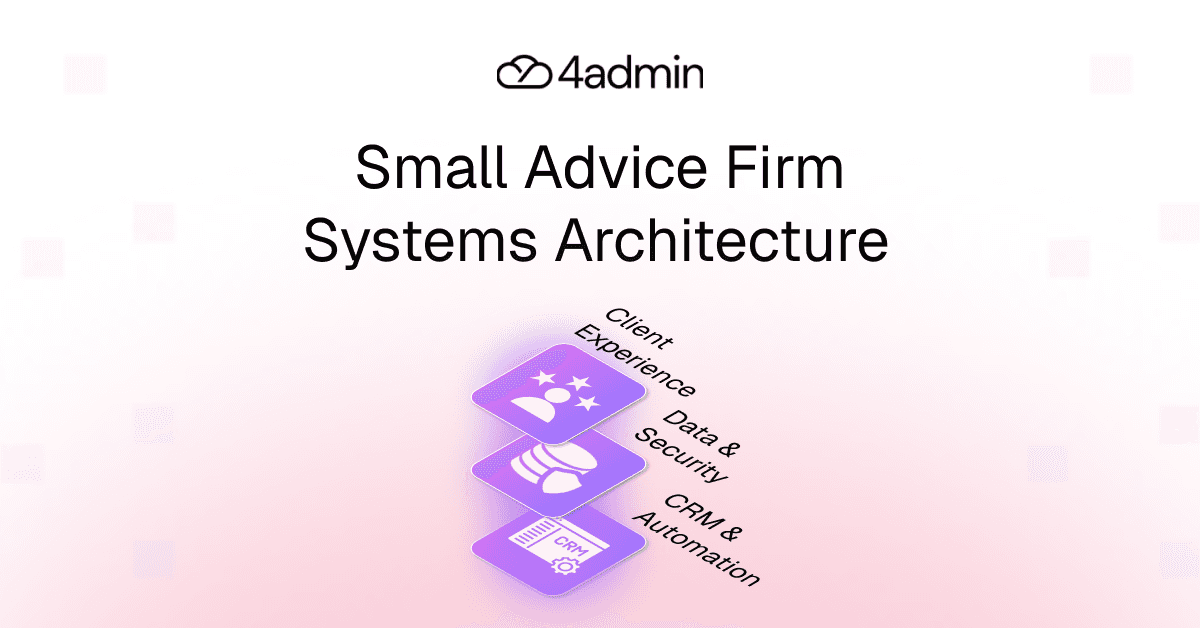
A practical integration architecture for small advice firms can be understood in four layers. Here's a quick glance at each:
Layer 1: Data Layer
This is your golden record.
Centralised client facts stored in the CRM platform, including:
Contact details
Client status
Core financial data
Key identifiers
This is the single source of truth.
If this layer is inconsistent, everything above it becomes unstable.
Layer 2: Integration Layer
This layer connects systems via native integrations, APIs, and iPaaS platforms (middleware).
It ensures reliable data synchronisation between:
CRM
Planning software
Custodians
Billing tools
Compliance systems
This is where the integration layer and middleware operate. Clean data mapping and well-defined API connectivity prevent duplication and drift.
Layer 3: Automation Layer
This layer handles workflow triggers.
Examples:
Prospect becomes client → onboarding workflow starts.
Risk profile completed → planning tool updated.
Portfolio update → reporting refreshed.
Compliance review due → task generated.
This is your automation framework.
It reduces manual interventions and strengthens process orchestration across back office systems.
Layer 4: Reporting and Document Management Layer
This includes:
Portfolio reporting systems
DMS linked to CRM
Compliance audit trails
Documents are automatically stored and indexed within the client record.
The Indispensable Element: Governance
Governance runs across all layers through:
Security protocols
Access governance
Controlled permissions
Integration architecture is strongest when governance is embedded, not added later.
Benefits of Structured Integration Architecture
Efficiency
Less re-keying.
Fewer manual bridges.
Reduced admin drag.
Back office systems become connected rather than patched together.
Data Accuracy
Exact matching across systems.
Cleaner data synchronisation.
Fewer LoA rejections caused by mismatched details.
Data silos shrink. Advice service quality and confidence across firm improves.
Enhanced Client Service
Advisers and support teams see a holistic client view.
Information is up-to-date.
Responses are faster.
Decisions rely on accurate, synchronised data.
Scalability
A well-designed advice firm systems architecture allows growth without tripling admin effort.
Scalable infrastructure absorbs volume without you needing to hire more people simply to manage fragmentation.
Implementation Roadmap for Small Firms
Step 1: Current-State Audit
Map:
Where data originates
Where it is duplicated
Where manual copying happens
Where errors occur
Establish clarity first.
Most firms discover their integration architecture is accidental rather than intentional.
Step 2 (Months 1–3): Connect Core Systems
Focus on:
CRM platform
Financial planning tool
Billing and communication systems
Establish the golden record and stabilise system integration advice firms depend on daily.
Step 3 (Months 3–6): Add Automation and Reporting
Introduce:
Workflow triggers
Automated data synchronisation
Reporting integrations
Compliance indexing
Build gradually to avoid unforeseen disruption. Standardise before you automate.
Common Mistakes Small Firms Make
Buying tools without checking API capability.
Treating the CRM as a contact list, not a data core.
Over-automating before standardising data.
Using spreadsheets as permanent connectors.
Ignoring API limitations.
Failing to assign ownership of the integration layer.
Architecture should be intentional, not accidental.
Tool sprawl without a centralised strategy will only lead to high costs, reduced productivity, and operational inefficiency.
How 4admin Supports Integration Architecture
For many small advice firms, integration issues don’t start with the CRM. They start with the data entering it.
And nowhere is that more visible than in LoA processing.
Letters of Authority are often the first point where external provider data meets your internal systems. If data is extracted manually, formatted inconsistently, or uploaded without validation, those issues flow straight into your CRM, reporting tools, and suitability processes.
Even with APIs and connected systems in place, poor source data creates friction. Rework increases and errors slip in quietly.
4admin sits at the core of your workflow and data standardisation layer.
It supports integration architecture for small advice firms by:
> Extracting structured provider data.
> Reducing manual data re-entry.
> Standardising information before it enters core systems.
> Supporting cleaner data flow between CRM and reporting tools.
It does not replace your CRM platform.
It strengthens the architecture by improving data quality and reducing friction at the integration layer.
The bottom line remains simple: Cleaner inputs = stronger system interoperability.
Final Thoughts
Integration architecture is not an enterprise luxury.
For small advice firms, it determines whether growth feels controlled or chaotic.
When data has a clear home, systems are connected intentionally, automation is layered correctly, and security is built in from the start, efficiency improves naturally.
Not because people work harder. But because systems behave predictably.
That is the real purpose of integration architecture for small advice firms.
Take this as your cue to audit your integration layer, remove the friction, and build a system that can scale without breaking.
FAQs
What are common integration challenges for small advice firms?
Common challenges include budget limits, legacy system incompatibilities, lack of IT expertise, data silos between CRMs/portals/compliance tools, and compliance risks.
How can small advice firms overcome integration challenges affordably?
Use no-code platforms like Zapier for drag-and-drop syncs, leverage open APIs, outsource initial setup to freelancers, and train staff via free resources.
How to integrate MIS systems affordably in financial advice businesses?
Centralise MIS data in a low-cost hub like Google Sheets or Airtable, connect via Zapier/Make.com to CRMs and reporting tools.
How to choose integration tools on a small budget?
Prioritise ease-of-use (no-code first), API compatibility with your stack (e.g. Selectapension for pension switching, Genovo for report writing) free trials, pay-per-use pricing, strong support docs, and user reviews on G2 for financial use cases.
Which free or freemium tools suit small firms for integrations?
Zapier (free for basic zaps), n8n (open-source automation), and native connectors in platforms like Salesforce Essentials, Selectapension, or Genovo.
Which tool can simplify policy data integration for small advice firms?
A tool like 4admin automates policy data extraction and pushes it directly to CRMs like Xplan or Intelliflo, reducing manual admin and enabling seamless workflows in admin automation setups.
Ready to automate your admin processes?
Learn how you can reduce admin backlog, ensure compliance, and increase capacity.