
Letters of authority (LoAs) are a dependency point in most advice firms.
Without them, suitability reports stall. Onboarding slows. Cases sit in limbo.
Providers operate on their own timelines. Service level agreements vary. Provider response times are rarely predictable.
That’s why chasing LoAs is necessary.
But without structure, it becomes operational drag.
The real issue is not whether to chase. It’s how to build a chasing workflow that balances communication channels, follow up cadence, escalation, and automation.
This blog outlines the best practices for chasing LoAs so that your LoA process remains controlled, accountable, and scalable.
Best Practices for Chasing LoAs at a Glance
The best practices for chasing LoAs follow a structured model. Before delving into a detailed breakdown of the practices, here’s a quick snapshot at some of the best practices for chasing LoAs:
Prepare thoroughly before submission.
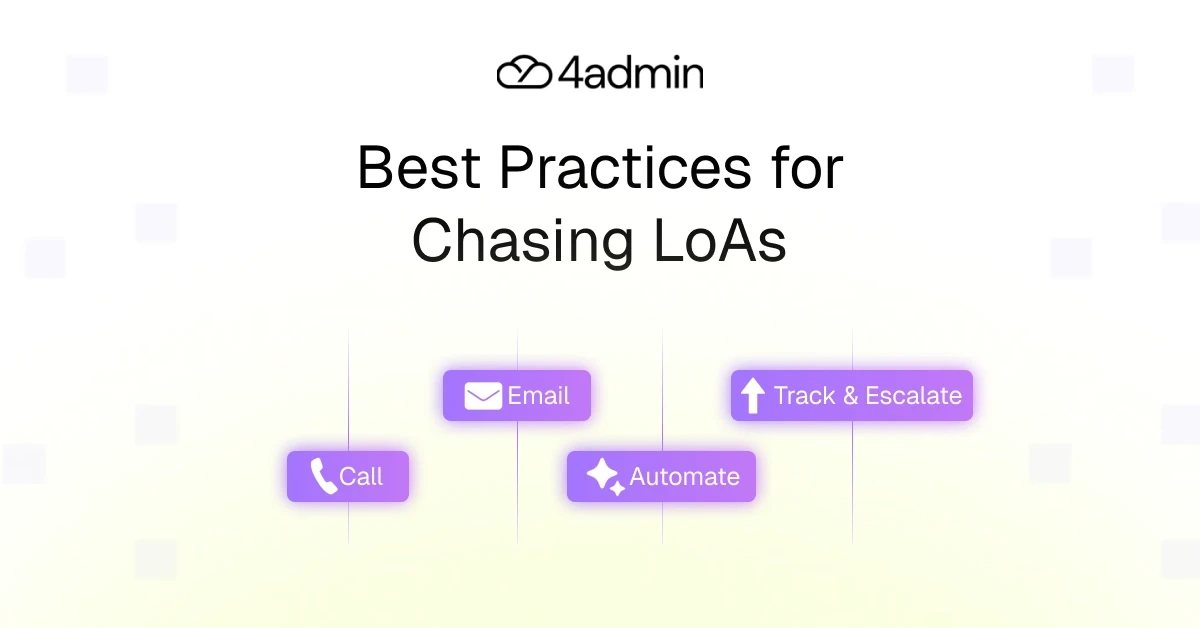
Use email and phone as core communication channels.
Define a clear LoA follow up strategy.
Implement email automation for LoA chasing.
Apply call escalation when thresholds are reached.
Monitor provider response times consistently.
Bottom line: Structure reduces provider response latency, whereas inconsistency increases it.
Detailed Breakdown of the Best Practice for Chasing LoAs
Preparation: The Step That Prevents Most Delays
Preparation reduces unnecessary escalation.
Before sending any letter of authority, confirm:
Accurate policy numbers
Correct provider department
Updated provider contact details
Signature requirements (wet vs scanned)
Required attachments
Submission date logged
Strong preparation supports:
Better expectation management
Reduced provider service delays
Cleaner response monitoring
Clear process accountability
Point to be noted: The cleanest LoAs are chased the least!
When to Email: The Baseline Channel
Email should be your structured default.
It provides a documented audit trail and supports scalable communication channels, alongside gathering key information in writing.
Email should be the starting point in any structured LoA follow up strategy. It creates a documented audit trail, supports consistent communication, and allows you to manage provider response times without immediate escalation. For most cases, email forms the backbone of the chasing workflow.
Use Email For:
Initial LoA submission (Day 0)
First reminder (Day 3–5)
Second reminder (Day 7–10)
Clarification or resubmission
This forms the backbone of your LoA follow up strategy.
Best Practices
Use clear subject lines: “Follow-Up: LOA – Policy [Number]”
Include all references and attachments
State response expectations clearly
Define follow up cadence in advance
Log all communications centrally
Track provider response times
Email works best when it follows defined follow up thresholds.
Pros and Cons of Using Email for LoA Chasing
Pros
Documented
Trackable
Scalable
Low time investment
Cons
Can be ignored if generic
Response times can be varied
Requires disciplined follow up cadence
When to Call: Escalation and Urgency
Calling is not the default. It is part of a defined LoA escalation process.
When provider response latency crosses your follow up thresholds or urgency increases, a call helps resolve delays quickly and clarify issues that email cannot.
Use Call For
When SLA window has passed (5–7 business days)
After 2–3 unanswered emails
High-value or urgent cases
Complex clarifications
Bounced or undelivered emails
This answers a common operational question: when to call providers for LoA matters.
Good to keep in mind that call escalation should be triggered by follow up thresholds, not frustration.
Best Practices
Call during quieter hours (e.g. early mornings)
Have all policy references ready
Log outcomes automatically
Follow up with confirmation email
Limit excessive repeat attempts
Calls strengthen rapport and reduce ambiguity.
Pros and Cons of Using Call for LoA Chasing
Pros
Faster clarity
Personal
Effective in urgent cases
Cons
Time-intensive
Harder to scale
Call escalation is most effective when integrated into a structured chasing workflow.
When to Automate: Removing Repetition
Automation supports the predictable parts of LoA chasing.
When reminders, acknowledgements, and status tracking follow a defined follow up cadence, automated reminders reduce manual effort while maintaining process accountability.
Automation strengthens consistency without removing human oversight.
Use Automation for Improving:
Process scalability
Process accountability
Response monitoring and tracking
Service level agreement compliance
Reducing turnaround times
Email automation for LoA chasing supports:
Immediate acknowledgement after submission
Scheduled automated reminders (Day 3, 7, 14)
SLA breach alerts
Escalation triggers
Centralised status tracking
Contact logging
Best Practices
Define follow up cadence clearly
Avoid excessive automated reminders
Personalise templates
Align automation with follow up thresholds
Maintain human oversight
Pros and Cons of Using Automation for LoA Chasing
Pros
Consistent
Scalable
Reduces manual workload
Improves status tracking
Cons
Requires setup
Needs monitoring
Note: Automation reduces reliance on memory. It does not replace judgment.
Why Is LoA Chasing Necessary?
Providers manage thousands of requests across departments. Even with clear service level agreements, provider response times for LoAs fluctuate due to:
Provider service delays
Internal backlogs
Incorrect documentation
Misrouted emails
Incomplete information
Without response monitoring and structured follow up, cases stall quietly.
LoA chasing is not a sign of failure.
It’s part of expectation management and process accountability.
Why LoA Chasing Becomes a Bottleneck?
Chasing becomes a bottleneck when it relies on memory instead of system.
Common issues causing LoA chasing to become a bottleneck may include:
No defined follow up cadence
No clear follow up thresholds
Multiple team members chasing the same provider
Poor contact logging
Lack of status tracking
No defined LoA escalation process
Instead of a structured persistence strategy, chasing becomes reactive.
At low volume, that works. But at scale, it creates operational friction.
What Does A Structured LoA Chasing Cadence Look Like?
A practical LoA follow up strategy may look like:
Day 0 – Send LoA + automated acknowledgement
Day 3–5 – First reminder
Day 7–10 – Second reminder
Day 10+ – Call escalation
Post-call – Log + confirmation email
Ongoing – Monitor provider response times
This structured persistence strategy ensures:
Defined follow up thresholds
Consistent communication channels
Clear escalation path
Controls provider response latency
Without cadence, chasing becomes random.
With cadence, it becomes measurable.
Quick Comparison Recap: Call vs Email vs Automation
Below is a quick recap of the best practices for chasing LoA which have been already discussed above:
Method | Best For | Pros | Cons |
Initial submission + routine follow-ups | Trackable, documented | Can be ignored | |
Call | Escalation and urgency | Fast clarity, personal | Time-intensive |
Automation | High-volume routine follow-ups | Consistent, scalable | Requires setup |
Each channel supports a different stage in the chasing workflow. The key is structured integration, not overuse of one channel.
Bringing It Together: From Reactive Chasing to Structured Control
Reactive chasing primarily relies on inbox memory, manual diary reminders, informal persistence, and inconsistent contact logging.
On the other hand, structured chasing relies on:
Defined follow up cadence
Automated reminders
Response monitoring
Clear LoA escalation process
Centralised status tracking
Process accountability
The difference is not effort.
It is structure.
How 4admin Supports Structured LoA Chasing
Structured chasing only works when it’s backed by visibility and automation. That’s exactly where 4admin comes in
4admin supports:
Centralised LoA status tracking
Automated reminders aligned with follow up cadence
Escalation triggers based on SLA thresholds
Response monitoring dashboards
Consistent contact logging
Clear provider response time visibility
This turns LoA chasing from a reactive task into an accountable workflow.
It does not remove the need to chase.
It removes the chaos around chasing.
Conclusion
The best practices for chasing LoAs aren’t about chasing more, they’re about chasing with structure.
That means defining a clear follow-up cadence, using the right communication channels, escalating calls at the right moment, automating emails, monitoring provider response times, and maintaining firm process accountability.
When structure replaces memory, provider response latency becomes measurable and manageable. And 4admin helps you do just that.
If your LoA process still relies on manual inbox checks and reminders, it’s time for a smarter system, where chasing does not disappear. Rather, it becomes controlled.
FAQs
How long should you wait before chasing a letter of authority?
Typically 3-5 business days for the first reminder, with escalation after 7-10 days depending on service level agreements and urgency.
When should you call providers for LoA?
Call when SLA windows are breached, after 2-3 unanswered emails, or when urgency requires faster resolution.
What is the best LoA follow up strategy?
A structured follow up cadence combining email as baseline, call escalation at defined thresholds, and automated reminders for consistency.
Can email automation help with LoA chasing?
Yes. Email automation for LoA chasing ensures consistent reminders, better response monitoring, and reduced manual workload.
What is the best tool for automating the LoA process?
The best tool for automating the LoA process is 4admin which equips advice firms with AI-driven data extraction with built-in compliance logging.
How can firms reduce provider response latency?
By preparing submissions properly, defining clear follow up thresholds, monitoring provider response times, and implementing structured escalation processes.
Ready to automate your admin processes?
Learn how you can reduce admin backlog, ensure compliance, and increase capacity.