
4admin × Genovo Integration
Genovo
Build suitability reports without retyping plan information, with 4admin's Genovo integration.








Features
Feature Overview
01
Plan Data Pulled into Genovo
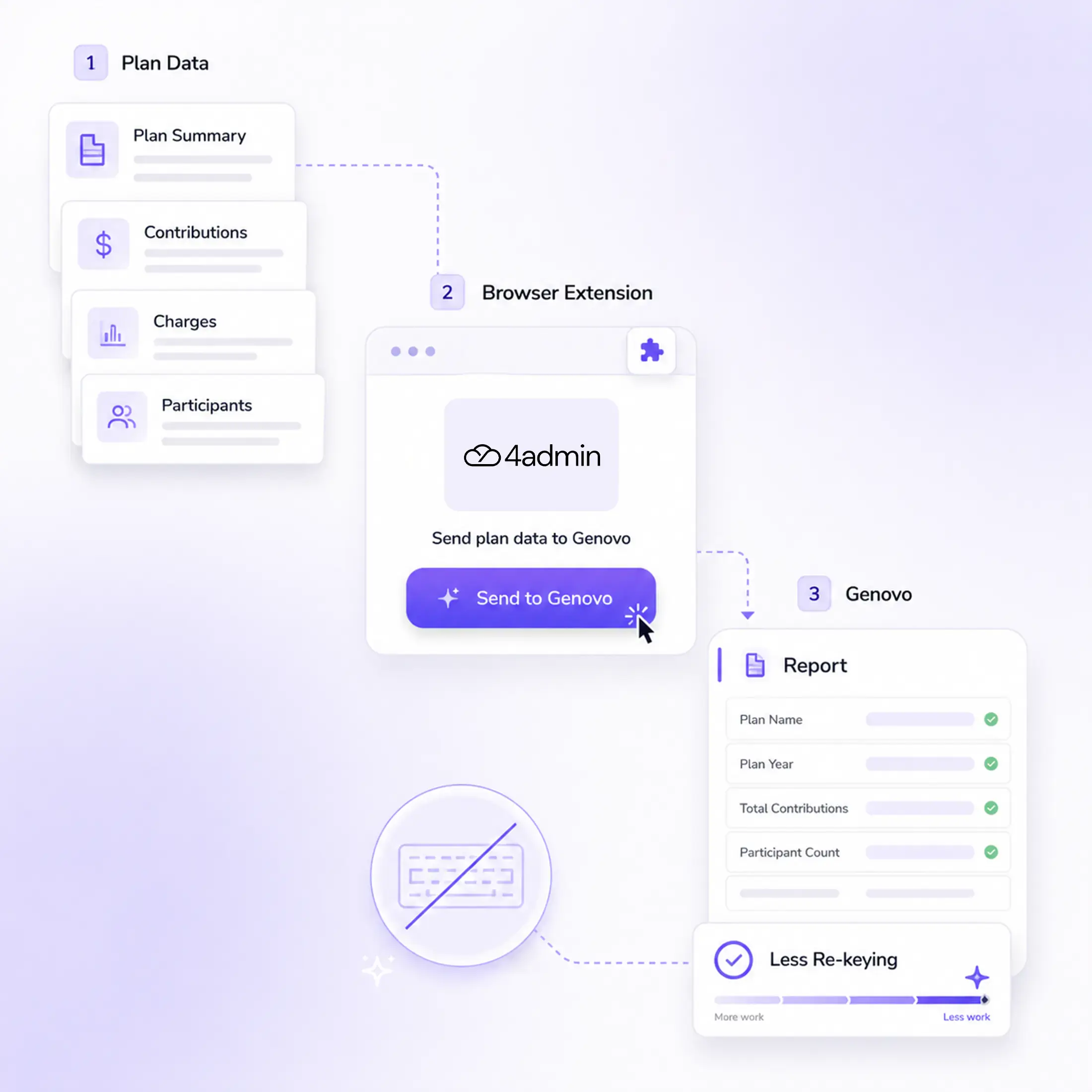
Fund values, contributions, charges and other supported plan details move into the report through the browser extension.
02
Simple Browser Extension
The extension connects to your existing 4admin account. There's nothing new to sign into.
03
Less Re-Keying When Writing Reports
Your team reuses the information 4admin has already extracted rather than copying the same plan details into Genovo.
What This Integration Pulls into Genovo
4admin has already extracted the plan information your team needs from the provider pack. When it's time to write the suitability report, the browser extension lets you pull that information into Genovo instead of entering it all over again.
Policy Details
Investments
Charges
Policy Details
Core policy details
Fund values
Contributions
Investments
Fund information
Benefits & Charges
Plan benefits and features
Plan charges
Process Flow
From 4admin to Your Genovo Report
Once 4admin has extracted the plan information from the provider pack, your team can use the browser extension to bring the supported details into the relevant section of the Genovo report.
Open the Plan in 4admin
→
Use the Genovo Extension
→
Pull the Plan Data
→
Add It to the Report
Why 4admin & Genovo Integration Matters
Plan information captured during the LOA process often needs to be entered again when the suitability report is prepared.
Typing the Same Plan Details in Twice
Without the integration, your team manually copies plan details into Genovo when the report is written. Time goes on transferring information from provider documents rather than on the advice and review work around the report, and every transfer is another opportunity for a transcription error.
Reuse What 4admin Has Already Extracted
Fund values, contributions, charges and other supported plan details move into the report through the browser extension. Genovo remains your report-writing tool, while 4admin carries the captured plan information through to where the advice is documented.
Security and Compliance
Permissions
The Genovo browser extension is used when your team chooses to pull supported plan information from 4admin into the report.
Data Handling
Data is encrypted in transit and at rest, hosted on UK Microsoft Azure infrastructure.
Security Certifications
4admin holds SOC 2 Type II certification and is ISO 27001 certified. Full detail is available on our security page.
Explore More Integrations
4admin connects to the tools your firm already uses, helping captured information move through the advice process with less manual re-keying.
Do I need a separate 4admin login inside Genovo?
No. The extension connects to your existing 4admin account, there's nothing new to sign into.
Does this replace our CRM integration?
No. It works alongside it. The same extracted data can land in your CRM and in your Genovo report, without being pulled from the provider pack twice.
Does the integration remove the need to re-key plan information?
For the pension plan information and report section currently supported, it reduces the need to manually enter information that 4admin has already extracted.
Does Genovo replace any part of the 4admin workflow?
No. The two tools support different parts of the advice process. 4admin captures and structures information from the provider pack, while Genovo is used to prepare the suitability report.
Is this data reliable for a compliance check?
Yes. Every figure it pulls into the report traces back to the same provider pack your CRM record is built from.