
Many advice firms expect automation to fix slow LoA turnaround. It helps, but it does not solve everything.
That is why some firms still wait days or weeks for progress even after adding digital tools and automated reminders. The real issue is that automation removes repetitive work, but it does not automatically fix broken process design.
To understand what slows down LoA turnaround even after automation, you need to look at what happens after the tools are in place. Delays rarely come from one single point.
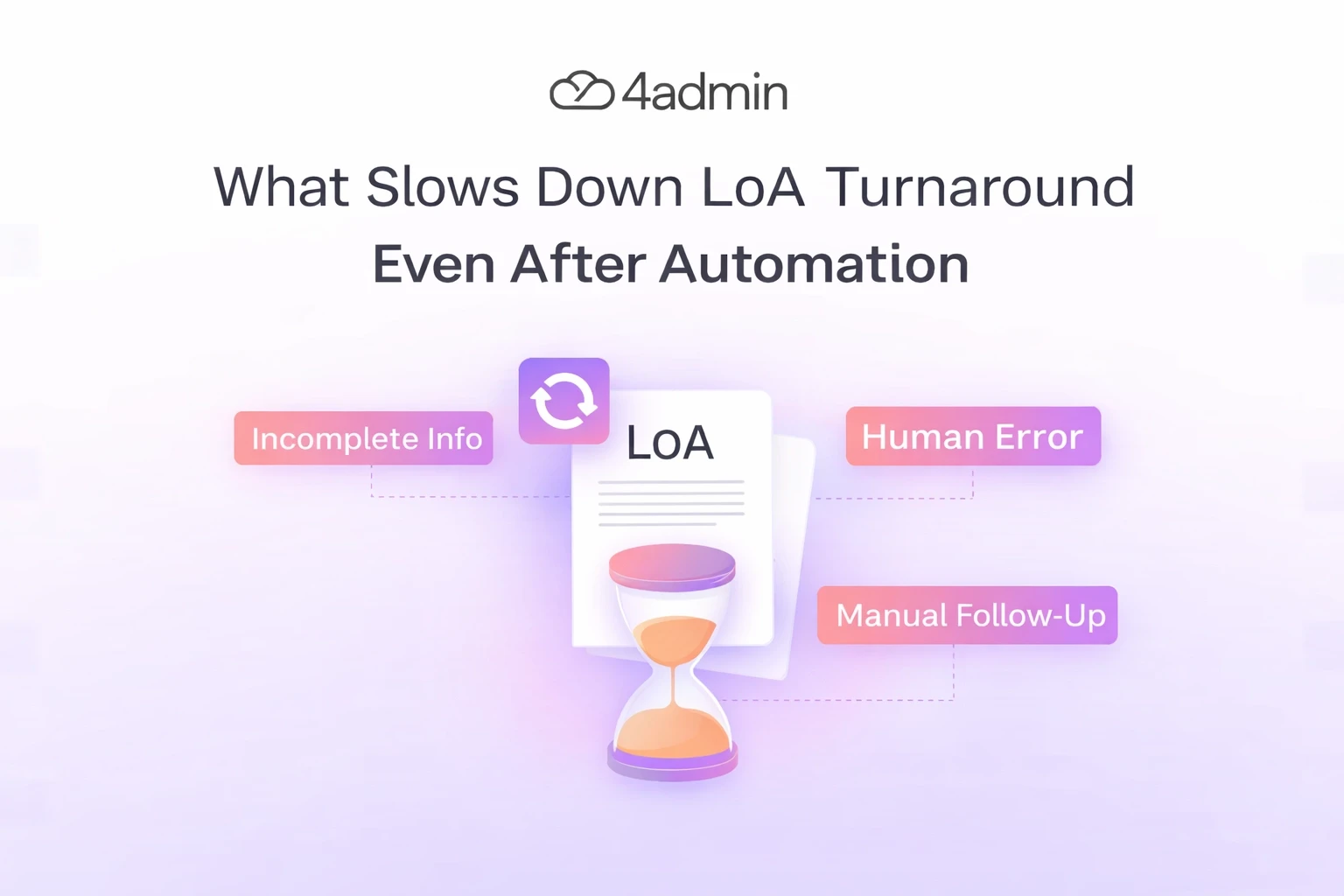
They usually build up across poor inputs, provider variation, review delays, weak follow-up, and system gaps. If even one of those areas stays weak, turnaround still drags.
This article is for firms that already use automation but still feel LoA turnaround is slower than it should be. It breaks down where delays still come from, why some workflows still feel manual, and what teams can tighten to make turnaround more predictable.
Why LoA Turnaround Still Feels Slow After Automation
Automation is often treated as a speed solution. In reality, it is usually better at reducing workload than removing every delay.
It can cut rekeying, improve tracking, and help teams move routine work faster. But if the request starts with weak information, goes to the wrong route, needs rework, or waits for review, the turnaround still slows down.
This is why firms can automate part of the process and still feel stuck. The slowest stage is often the part that was never fully fixed.
Where Delays Still Come from After Automation
1. Missing or Incorrect Information at the Start
Automation cannot fix poor inputs on its own. If a request starts with the wrong policy number, old provider details, missing attachments, or incomplete client information, delay begins immediately.
The system may send the request quickly, but fast submission of weak data still leads to rejection, clarification, and rework. In that situation, automation speeds up the first mistake rather than solving it.
Common examples include:
Incomplete policy details
Outdated transfer information
Missing supporting documents
Wrong provider contact route
Unclear scope of authority
This is one of the biggest reasons LoA turnaround stays slow after automation. The tool works, but the request was not ready.
2. Signature and Consent Problems
Many firms automate form creation but still get delayed at the consent stage. Clients may sign the wrong page, miss a section, return the wrong format, or send the form back late.
This matters even more in regulated advice environments. A request cannot move forward properly if authority is incomplete or unclear.
So although automation may send reminders and make signing easier, it cannot guarantee clean, valid consent on the first attempt. That still depends on the process and the clarity of the request.
3. Provider Rules Still Vary
One provider may accept a scanned signature. Another may want a specific form, a portal upload, or a different department.
This is where many firms hit friction. Their internal workflow may be automated, but provider requirements are still inconsistent.
If your team does not have accurate provider submission criteria, automation can push the wrong request down the wrong path very quickly. That creates avoidable delay instead of efficiency.
4. Automation Often Covers Only One Part of the Workflow
This is a major reason LoA turnaround stays slow. Many firms automate one task, not the full chain.
For example:
Document reading may be automated, but consent checks are still manual
Reminders may be automated, but CRM updates still need rekeying
Submission may be digital, but review still sits in inboxes
Tracking may improve, but exception handling is still slow
In that case, the work is partly faster, but the full process is not truly streamlined. Hidden handoffs between people, inboxes, spreadsheets, and systems are where turnaround time quietly disappears.
5. Returned Provider Documents Still Need Work
Getting the provider response is not the end of the process. Someone still needs to read the documents, check what has been returned, identify the useful data, and make sure the output is complete.
Provider packs are often messy. They may include scanned pages, poorly structured PDFs, missing fields, different layouts, or documents that combine several products in one file.
Even if a tool extracts data, it may still flag exceptions. That means a person still needs to review values, dates, guarantees, charges, or product details before the case can move on.
6. Exception Handling Still Needs Human Review
Automation works best on predictable tasks. LoA work is not always predictable.
Some cases involve:
Old policies
Unclear responses
Duplicate requests
Provider rejections
Partial packs
Conflicting information
These cases cannot always move straight through a workflow without human intervention. When exception handling is weak, turnaround slows down fast.
7. No Clear Ownership Across the Process
Many LoAs do not slow down because of complexity. They slow down because nobody clearly owns the next step.
One person prepares it. Another sends it. Someone else reviews the response. Another team member chases the provider. If ownership is vague, each handoff creates pause time.
Clear ownership should exist for:
Preparation
Submission
Follow-up
Escalation
Document review
CRM update
Closure
The system may move data, but it cannot fix uncertainty about responsibility unless the workflow is designed properly.
8. Weak Follow-up and Chasing Rules
Some firms automate reminders but still do not have a real follow-up strategy. That is a problem because reminders alone do not create control.
A good chasing workflow should make it clear:
When to email
When to call
When to resend
When to escalate
When a case needs intervention
Without that structure, LoAs still stall quietly. Automation may send messages, but no one is actively managing the progression of the case.
9. CRM and System Gaps Create Rework
Another reason LoA turnaround remains slow is weak integration.
If provider data still needs to be copied manually into the CRM, checked in another system, or matched against spreadsheets and inbox notes, the process still carries manual friction.
This creates three problems at once:
It slows the case down
It increases error risk
It adds more review work later
Firms often underestimate how much time is lost here. Even a few extra minutes per case becomes a major bottleneck when LoA volume increases.
10. Compliance Checks Add Necessary Friction
Not every delay is bad. Some delay exists because regulated advice work needs review, auditability, and accuracy.
In regulated advice work, LoA processing is not just an admin task. It supports suitability, client understanding, record keeping, and defensible advice processes.
The problem is not compliance itself. The problem is when compliance checks are manual, inconsistent, or badly placed in the workflow.
11. Provider Response Times Are Still External
This is the part many firms already know, but it still matters. Even the best internal automation cannot fully control provider turnaround times.
Providers have their own service levels, internal queues, and operating limits. Some respond quickly, while others create delay through backlogs, routing issues, or inconsistent communication.
That means automation improves what your firm controls. It does not remove every external dependency.
12. Poor Visibility Hides the Real Bottleneck
A firm may believe automation is not working when the real issue is poor visibility. If status lives in separate inboxes, spreadsheets, or personal updates, no one can clearly see where the case is slowing down.
That makes it hard to answer basic operational questions, such as:
Which provider is causing the most delay
Which stage takes the longest
How many LoAs are waiting for review
How many are stuck due to missing data
Which cases need chasing today
Without visibility, teams react to noise instead of facts. Turnaround feels slow, but nobody can clearly prove why.
13. Volume Growth Breaks a Process That Looked Fine at Low Scale
A workflow can seem manageable at low volume. Then the firm grows, transfer activity increases, more providers are involved, and the same process starts collapsing under pressure.
This is where many firms discover that automation alone is not enough. It may have reduced single-task effort, but it did not redesign the workflow for scale.
At higher volume, weak areas become obvious very quickly:
Shared inboxes get crowded
Follow-ups become inconsistent
Exceptions pile up
Teams spend more time context-switching
Cases move less smoothly than before
Signs Your Current LoA Workflow Still Has Gaps
You may have an automation gap if the following still happens:
LoAs are submitted quickly but come back incomplete
Teams still chase information by email after submission
Provider packs still sit in inboxes waiting for review
CRM updates still depend on manual rekeying
Staff do not know who owns the next step
Reminders are sent, but cases still go stale
Turnaround improves slightly, but not enough to free capacity
Reporting shows activity, but not actual bottlenecks
These are strong signs that automation exists, but process control is still weak.
How to Fix Post-Automation LoA Bottlenecks
The next step is not always more software. Often, it is better workflow design around the tools you already have.
Firms usually make the biggest gains when they focus on:
Stronger data checks before submission
Provider-specific rules
Clearer ownership
Better exception handling
Tighter system integration
Structured chasing logic
Central visibility across every open LoA
Reporting that shows delay by stage
That is what turns automation into actual operational improvement. It is also what separates a faster task from a faster workflow.
How 4admin Helps Reduce Post-Automation LoA Friction
Most firms do not struggle because they lack effort. They struggle because too much of the LoA process still depends on manual handling, unclear visibility, and slow movement between systems.
That is where 4admin fits. It helps advice firms reduce the slow, repetitive parts of LoA processing that continue to cause delays even after basic automation is in place.
It supports firms by helping them:
Extract key data from provider documents
Reduce manual document reading
Flag missing or unclear information earlier
Cut down rekeying into CRM systems
Improve visibility across the LoA workflow
Create more consistent handling
This matters because faster turnaround does not come from sending more reminders alone. It comes from reducing the right friction while keeping the right controls.
Bottom Line
So, what slows down LoA turnaround even after automation?
Usually, it is not one single issue. It is a combination of slow provider processes and gaps inside the firm’s own workflow. Missing data, weak system links, manual chasing, and exception cases can all keep things moving more slowly than they should.
Automation still matters. But on its own, it does not solve every LoA delay.
The firms that reduce LoA turnaround time most effectively do not only automate tasks. They standardise the full process around clean data, connected systems, clear follow-up, central visibility, and better handling of exceptions.
That is what makes the Letter of Authority process faster. More importantly, that is what makes it more reliable as volume grows.
Frequently Asked Questions
Why is LoA turnaround still slow after automation?
LoA turnaround can stay slow because automation only improves part of the workflow. Provider delays, missing data, manual chasing, and exception cases can still hold the process back.
How does missing information affect LoA turnaround time?
Missing information slows down the LoA process. It often leads to rejections, follow-up emails, and resubmissions. Even one missing detail can delay the whole request and make the turnaround longer.
Why does CRM integration matter in the Letter of Authority process?
CRM integration reduces re-keying, and gives teams better visibility. It keeps case information in one place and makes progress easier to track. When systems are disconnected, teams waste time moving data and checking status manually.
Should firms automate LoA chasing as well as submission?
Yes. If firms only automate submission, delays can still build up after the request is sent. Automated chasing helps keep cases moving and makes follow-up more consistent.
What are LoA exceptions?
LoA exceptions are cases that do not follow the normal workflow. This can include unusual provider responses, legacy forms, unreadable documents, or missing supporting information.
What is the best way to improve LoA turnaround after automation?
The best way is to improve the process around the automation. Clearer data, better tracking, automated follow-ups, stronger integration, and simple exception handling can make a big difference.
Ready to automate your admin processes?
Learn how you can reduce admin backlog, ensure compliance, and increase capacity.