
Back-office work keeps a business running, but it rarely gets the attention it deserves. Emails are answered. Documents are processed. Records are updated. And cases move through different teams.
From the outside, this can look like progress.
But behind the scenes, the picture is often different. Many businesses still lose time to manual data entry, repeated follow-ups, disconnected systems, and avoidable errors. The team stays busy, but the work still feels slow.
That is where back-office automation becomes important.
It helps businesses replace repetitive manual tasks with structured digital workflows. As a result, teams can work faster, reduce rework, and focus more time on work that actually supports growth.
This guide explains what back-office automation means, how it works, where it is used, and why businesses need it.
What is Back Office Automation
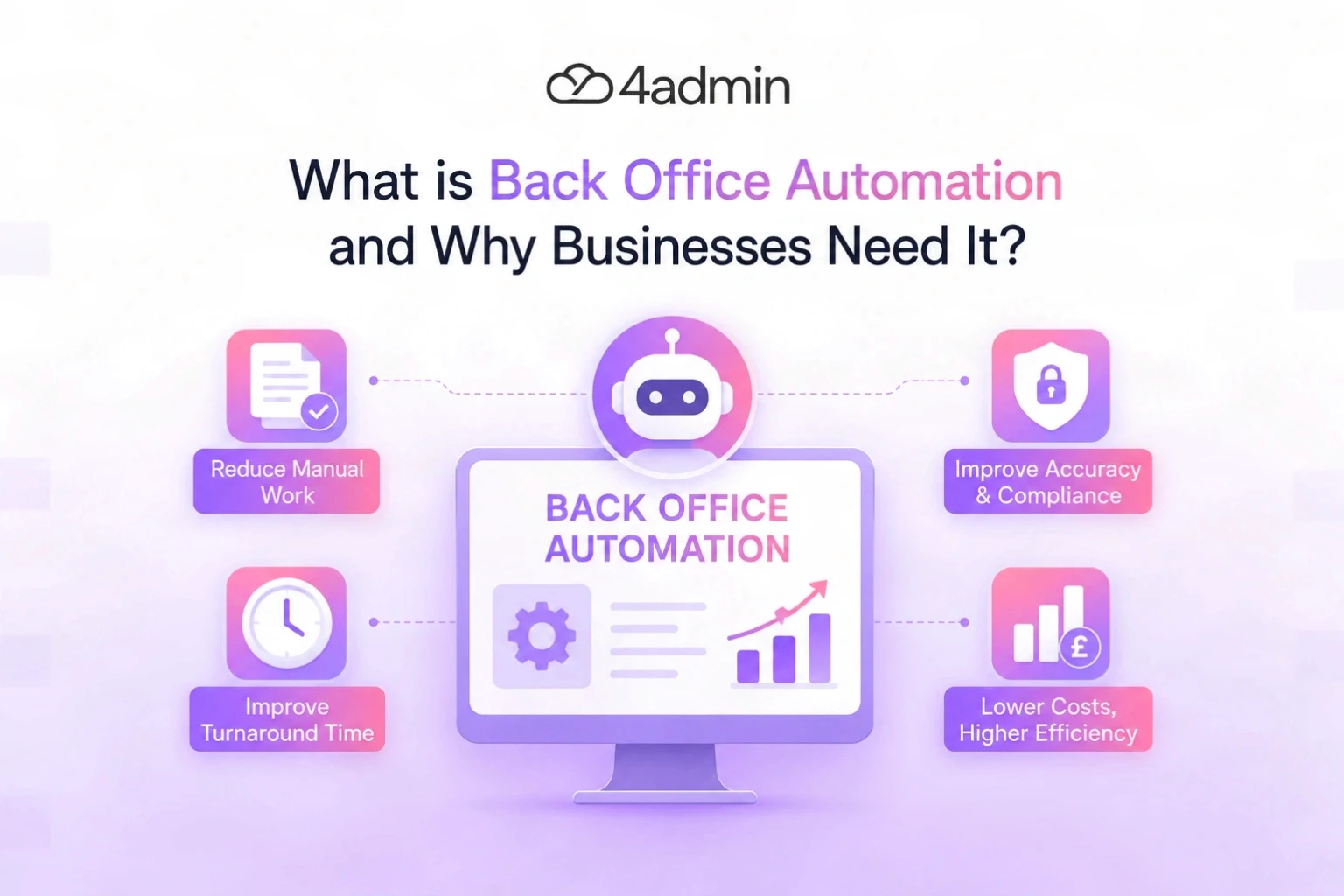
Back-office automation is the use of software, AI, and workflow solutions to handle repetitive internal tasks with less manual effort.
These tasks usually happen in the background. They do not always involve direct customer or client interaction. But they strongly affect how fast and accurately the business operates.
Typical activities that may need automation include data entry, document processing, CRM updates, compliance tracking, reporting, and internal follow-ups.
Instead of asking staff to complete every step manually, automation helps move work through a defined process. It can capture data, route tasks, trigger reminders, update systems, and flag missing information.
The aim is not to remove people from the process. The aim is to remove unnecessary manual effort so people can focus on better decisions, client service, and higher-value work.
Front Office vs Back Office Automation
Front office work usually involves direct client interaction. In an advice firm, this may include adviser meetings, client calls, reviews, recommendations, and relationship management.
Back-office work supports that client-facing activity. It includes the admin, data, documents, provider communication, checks, and updates needed to keep the advice process moving.
Both sides matter.
But back-office problems are not always easy to see. Clients may not see the process. They only notice when onboarding is slow, provider information is late, or a case stops moving.
That is why back-office automation is not just an internal admin improvement. It can affect client experience, adviser capacity, turnaround time, and the firm’s ability to grow.
Why Businesses Need Back Office Automation
Businesses need back-office automation because manual admin does not scale well.
At low volume, spreadsheets, inboxes, and manual updates may seem manageable. But as the business grows, each new client, document, case, provider, or transaction adds more work.
If the process stays manual, the business usually has two choices. It can accept slower service, or it can keep hiring more admin staff.
Neither option fixes the root problem.
Back-office automation gives businesses a better way to grow. It reduces the amount of manual work needed to complete routine tasks and helps teams manage more volume with better control.
The Main Problems Back Office Automation Solves
Most back-office inefficiency comes from small process problems that repeat every day.
One missing field may delay a case. One manual copy-and-paste mistake may create rework. One missed follow-up may leave a request sitting untouched for days.
Over time, these small issues create serious operational drag.
Back-office automation helps solve problems such as:
Manual data entry across multiple systems
Repeated chasing and follow-ups
Poor visibility over task status
Missing or incomplete information
Slow document processing
Duplicate records and inconsistent data
Delays between handoffs
Rework caused by avoidable errors
Growing admin backlog
These problems are not always caused by lazy teams or lack of effort. In many cases, the team is working hard inside a weak process.
Automation helps strengthen that process.
How Back Office Automation Works
Back-office automation usually starts with a manual process.
The firm looks at how the work currently moves from one step to the next. Then it identifies which parts are repetitive, rule-based, or easy to structure.
For example, instead of asking a team member to check an inbox, download a document, extract key details, update a CRM, and send a reminder manually, automation can handle several of those steps.
A workflow can be set up to receive information, check required fields, send tasks to the right person, update records, and track progress.
AI can also help where the work involves documents or unstructured data. For example, it can extract information from PDFs, provider documents, forms, or statements and turn that information into structured data.
The strongest results usually come when automation is linked to clear process design. Automating a messy process can make the mess faster, so businesses need to structure the workflow first.
Common Back Office Automation Use Cases
Back-office automation can support many internal workflows. In financial advice firms, the strongest use cases are usually the ones that involve documents, provider data, CRM updates, compliance checks, and repeated follow-ups.
Here are some common use cases.
Area | What Automation Can Help With |
Client Onboarding | Document collection, checklist creation, missing data checks, case setup |
LoA Handling | LoA tracking, provider follow-ups, response handling, status updates |
Provider Data | Extracting policy, plan, valuation, and client information from provider documents |
CRM Updates | Reducing manual re-keying and preparing cleaner CRM-ready data |
Compliance Workflows | Audit trails, required checks, activity logs, review reminders |
Document Management | Extracting, routing, storing, and organising documents |
Operations | Task routing, internal approvals, reminders, case tracking |
Reporting | Workflow reports, backlog visibility, turnaround time tracking |
Income or Data Reconciliation | Matching records, checking inconsistencies, updating internal systems |
The exact use case depends on the business. However, the pattern is usually the same.
If a task is repetitive, rule-based, and time-consuming, it may be a strong candidate for automation.
Back Office Automation in Financial Services
Back-office automation is especially useful in financial services.
The work is often document-heavy. It also needs careful tracking because compliance matters.
Advice firms deal with provider forms, client records, Letters of Authority, platform information, policy documents, compliance logs, and ongoing review tasks.
If these workflows depend too much on inboxes and spreadsheets, delays can build quickly.
A provider response may arrive but not be processed. A case may wait because data is missing. A CRM record may be updated late. A follow-up may depend on someone remembering to check.
These sound like small issues.
But across many cases, they slow down onboarding, reviews, transfers, and adviser follow-up.
Automation gives firms a clearer way to control that work. It helps create cleaner data, better tracking, and more visibility over what is moving, what is waiting, and what needs action.
Key Benefits of Back Office Automation
1. Less Manual Admin
Manual admin takes time away from work that needs judgement.
Staff may spend hours copying data, checking documents, chasing updates, or moving information between systems.
Automation reduces that burden.
It helps teams spend less time on repeat work and more time on tasks that need human attention.
2. Faster Turnaround Times
Manual processes often slow down as volume grows.
A case may wait because someone needs to check an inbox, update a record, or send a follow-up manually.
Automation helps work move faster between steps.
For advice firms, this can support faster onboarding, quicker provider follow-ups, smoother LoA handling, and more timely CRM updates.
3. Fewer Errors and Less Rework
Manual data entry creates risk.
One wrong number, missing field, duplicate record, or outdated document can delay the whole workflow. It can also create extra checks later.
Automation helps reduce these errors by applying consistent rules and standard steps.
When data is captured properly and routed correctly the first time, teams spend less time fixing avoidable mistakes.
4. Better Workflow Visibility
A common problem in back-office teams is not knowing where work actually sits.
A case may be waiting on a provider, stuck with a team member, missing data, or ready for review. But if the status is buried in emails or spreadsheets, managers cannot see the full picture.
Automation improves visibility by showing where work is, who owns it, and what needs action next.
This helps teams spot bottlenecks earlier instead of waiting until backlog becomes a bigger problem.
5. Improved Compliance and Audit Trails
Many back-office processes need clear records.
Businesses need to know what was done, when it was done, who handled it, and what information was used.
Automation helps create consistent audit trails by recording activity as work moves through the system.
This does not remove the need for human oversight. It simply makes the process easier to track, review, and control.
6. More Capacity Without Constant Hiring
Hiring can help when a firm genuinely needs more people. But if the workflow is weak, more hiring may not solve the problem. It can add more handoffs, more training, and more management work.
Automation helps create capacity by reducing repeatable admin tasks. This allows the same team to manage more work with better control.
7. Better Employee Experience
Repetitive admin can drain teams.
When staff spend too much time on low-value manual work, they have less time for meaningful tasks. This can lead to frustration, burnout, and lower productivity.
Automation helps remove some of that pressure. It gives staff more room for client support, problem-solving, analysis, and work that needs experience.
What Should Businesses Automate First
Businesses should not try to automate everything at once.
The best starting point is a process that is frequent, repetitive, and easy to measure. This allows the team to see value quickly without creating unnecessary complexity.
For advice firms, this may include:
Data entry
Document collection
CRM updates
Task reminders
Internal approvals
Status updates
Invoice handling
Compliance logs
Follow-up workflows
The process should be clear before automation is added.
If the current workflow is confusing, the firm should simplify it first. Otherwise, automation may only make the confusion harder to manage.
What Businesses Should Not Automate Too Early
Not every task should be automated first.
Some work needs judgement, advice, interpretation, or sensitive decision-making. That work should stay under human control.
For example, automation should not replace advice recommendations, client relationships, suitability decisions, or final compliance judgement.
It should support those areas by preparing cleaner data, reducing admin effort, and making the workflow easier to manage.
The simple rule is this: automate the repetitive work, not the responsibility.
Signs Your Business Needs Back Office Automation
A business may need back-office automation when manual work starts affecting speed, quality, or capacity.
Common signs include:
Teams rely heavily on spreadsheets
Staff enter the same data more than once
Cases or tasks get lost in email threads
Backlog keeps growing
Errors and rework are common
Managers cannot see live workflow status
Hiring does not reduce delays
Reporting takes too long
Staff spend too much time chasing updates
Clients or advisers wait too long for outcomes
These are usually signs of a process problem.
The team may still be working hard. But the workflow may not be built to support the volume of work.
How to Implement Back Office Automation Properly
Back-office automation works best when it is rolled out in a structured way.
Start by mapping the current process. Look at each step and identify where time is lost, where errors happen, and where people repeat the same work.
Then remove unnecessary steps before adding automation. A bad process should not be automated as it is.
After that, choose one workflow to improve first. This could be onboarding, LoA handling, provider follow-ups, CRM updates, or document processing.
Measure the current process before changing it. Track turnaround time, rework, backlog, missing data, or admin hours.
Then compare the results after automation is introduced. This approach helps teams build confidence and reduces the risk of failed automation projects.
The Role of AI in Back Office Automation
AI is becoming more useful in back-office work because many firms deal with unstructured information.
Provider documents, PDFs, statements, emails, forms, and reports often contain useful data. But it’s not always easy to capture that data manually.
AI can help extract that information and turn it into a structured format. It can also help classify documents, flag missing information, support workflow routing, and improve data quality checks.
But AI still needs a clear process around it. It works best when the firm knows what data it needs, where that data should go, and what should happen next.
Back Office Automation and Data Quality
Automation depends on good data.
If the source data is incomplete, inconsistent, or spread across disconnected systems, the workflow will still suffer.
That is why data quality matters.
Clean data helps reduce rework, improve reporting, and keep cases moving. It also makes automation more reliable because the system is working with information it can trust.
For many firms, the biggest benefit is not just faster task completion.
It is having cleaner, more usable data moving through the business with fewer manual corrections.
How 4admin Supports Back Office Automation
4admin helps financial advice firms bring more structure into back-office workflows.
Many firms still manage important admin through emails, spreadsheets, provider documents, and disconnected systems. That makes work harder to track and harder to scale.
4admin supports firms by helping them:
turn unstructured provider documents into cleaner, usable data
reduce manual re-keying across back-office workflows
improve visibility over open cases and delayed work
support LoA handling, provider communication, and onboarding
prepare cleaner CRM-ready outputs
create more consistent back-office processes
reduce the admin pressure caused by repeated manual tasks
This matters because better automation starts with better structure. When data is cleaner and workflows are easier to track, firms can manage more work with less friction.
Bottom Line
Back-office automation is not just about saving time.
It helps firms build cleaner, faster, and more reliable operations. It cuts down on manual administration, enhances data quality, reduces rework, and provides teams with improved insight into the flow of work.
The businesses that gain the most are not just incorporating software. They enhance how work is conducted from beginning to end.
For financial advice firms, this can create a significant impact. When managing provider data, client information, compliance actions and internal work processes become simpler, it makes the entire operation easier to expand.
If your back office is very busy but not fast, automation may not be a future project. However, it could be the improvement your business requires at this moment.
Frequently Asked Questions
Can small businesses use back-office automation?
Yes, small businesses can utilize this when repetitive administrative tasks start consuming a lot of time. It is better to start with one straightforward workflow, prove it works and then gradually grow.
Does back-office automation replace employees?
Not generally. It takes away regular admin work, allowing staff to dedicate more time on client tasks, solving problems, analysis, and activities that require judgement.
What should a business automate first?
Begin with tasks that occur frequently and require straightforward steps. These could involve entering data, managing documents, updating CRM systems, setting reminders, processing invoices, or doing follow-ups.
How does back-office automation improve compliance?
This helps to make the method more trackable. Companies can keep much clearer records, follow required checks, maintain trails for audits, and understand who performed each task and at what time.
How do you know if back-office automation is working?
It works well when tasks are completed quicker and with fewer mistakes. The backlog should decrease, the need for rework should lessen, and the team ought to have a clearer view of ongoing work.
Ready to automate your admin processes?
Learn how you can reduce admin backlog, ensure compliance, and increase capacity.