


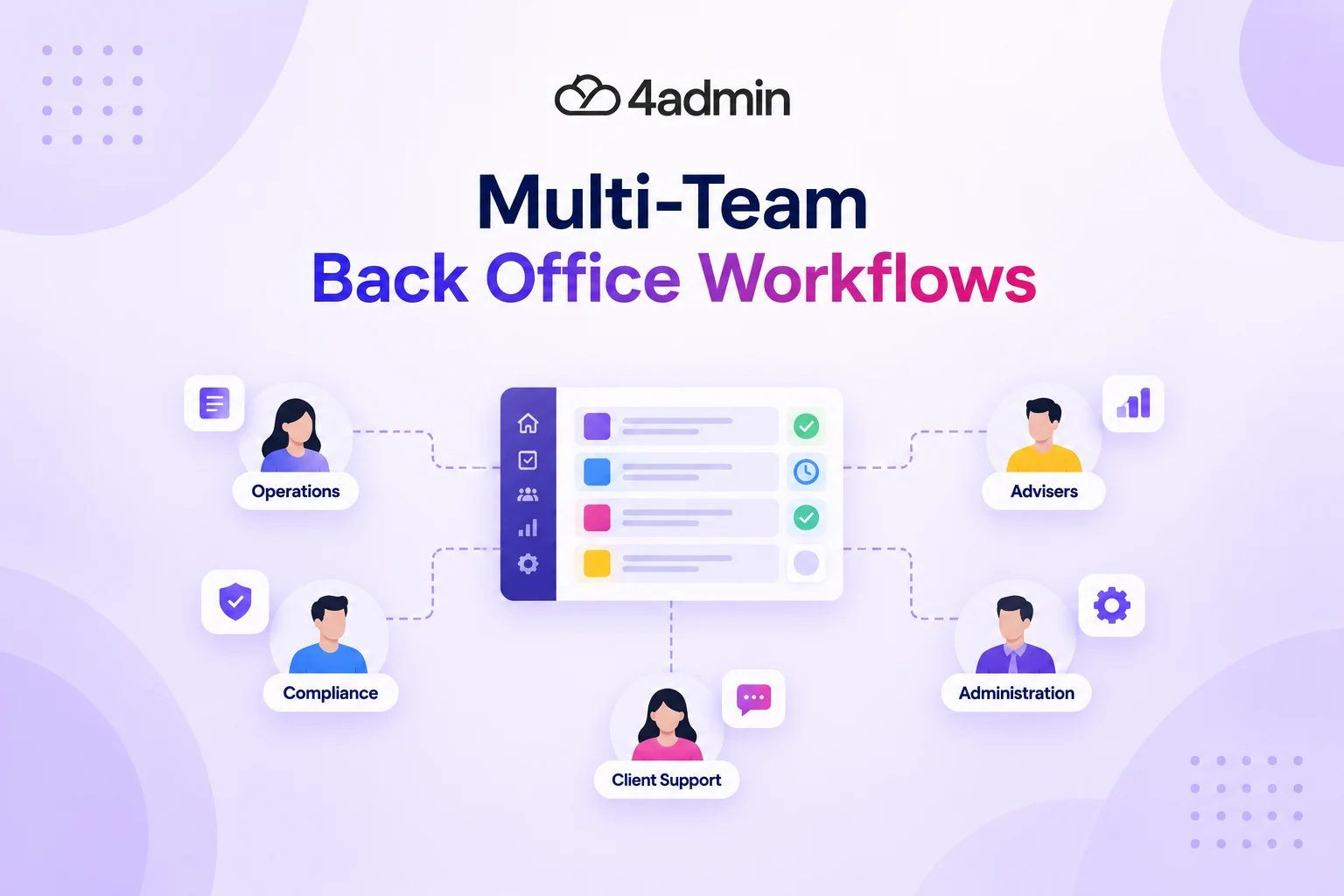
In a busy advice firm, one case can move between admin, providers, paraplanning, advisers and compliance before it is complete. The problem starts when each team sees only its own part of the process and nobody has a clear view of the full case.
A provider pack may have arrived, but the case still shows as waiting for information. Admin may think it is being reviewed, while paraplanning is still waiting for a complete handoff. As these gaps build up, it becomes harder to see where work is sitting, who needs to act and why a case has stopped moving.
That is where better workflow visibility matters. To build visibility across multi-team back-office workflows, firms need one reliable view of the workflow stage, current owner, next action and waiting reason. Overdue work, provider delays and blocked handoffs should also be easy to spot.
This guide explains how to create that visibility across case queues, team handoffs, provider dependencies and operational reporting, so staff can follow case progress without piecing together updates from different systems.
What Does Visibility Mean in a Multi-Team Back-Office Workflow?
Visibility means being able to see where a case stands without piecing together updates from CRM notes, emails, spreadsheets or conversations. It should show enough information for both the person doing the work and the manager overseeing the wider process.
Good multi-team workflow tracking should answer a few practical questions:
Which workflow stage is the case in?
Who owns the current action?
What needs to happen next?
Why is the case waiting?
Is another team or provider blocking progress?
Is the case overdue or outside its expected turnaround time?
Is it ready for the next handoff?
The level of detail also depends on the role. An administrator may need to see provider requests and chasers, while an operations manager needs a wider view of queues, capacity, overdue work and operational bottlenecks.
That is why real-time visibility is more than displaying every task on one dashboard. It means giving the right people a dependable view of the information they need to act.
Why Back-Office Teams Lose Visibility as Case Volume Grows
Back-office visibility usually breaks when case volume grows faster than the firm's way of tracking work. Informal updates and individual knowledge become less reliable when more cases are moving at the same time.
A transfer case may pass through LoA processing, provider communication, provider-pack review, paraplanning, adviser input and compliance review. Case information may also sit across the CRM, inboxes, documents and provider portals.
Each handoff creates another point where the status can become unclear. A provider response may arrive, but the case may not move until someone notices the response, reviews it and updates the next team.
As transfer volumes rise, clear ownership and case visibility become more important. Firms that still rely on manual tracking can find it harder to keep control as more cases enter the workflow. This is explored further in our guide to scaling transfer business without losing operational control.
Signs Your Back-Office Workflow Has a Visibility Gap
A visibility gap exists when staff have to chase people or check several places before they can explain what is happening with a case. These problems usually appear in day-to-day work before they become obvious in operational reporting.
Common warning signs include:
Advisers repeatedly ask admin for routine case updates.
The CRM and internal tracker show different statuses.
Cases remain under vague labels such as “pending”.
Provider responses sit unnoticed after they arrive.
Nobody can quickly explain why a case is waiting.
Paraplanners receive cases with missing information.
Overdue tasks appear only after somebody manually checks them.
Managers cannot separate provider waiting from internal delay.
Dependence on individual memory is another warning sign. If one person knows which provider needs chasing or which case needs escalation, that knowledge is not visible to the wider team.
How to Build Visibility Across Multi-Team Back-Office Workflows
Advice firms can build visibility across multi-team back-office workflows by keeping stages, ownership, waiting reasons and exceptions clear throughout the case journey. The systems used by the firm should then keep that information easy to find and up to date.
The aim is not to track every small action. It is to make the information needed to progress and manage a case clear at each stage.
Map the Cross-Team Workflow and Ownership
A clear cross-team workflow should show how the case moves and where responsibility changes. Map the full journey rather than looking at admin, paraplanning or compliance in isolation.
For a transfer case, the workflow may look like this:
Client onboarding → LoA processing → Provider Communication → Provider-pack Review → Paraplanning → Adviser Handoff → Compliance Review → Implementation
For each workflow stage, define:
Who owns the current task
What information is needed
What must be complete before the case moves
Which team receives the case next
What workflow dependency could cause a delay
When an escalation is required
The overall case owner and current task owner may be different. An adviser may own the client relationship while an administrator owns the current provider chase.
Create a Single Source of Truth for Case Data
A single source of truth gives staff one reliable place to check where a case stands. It does not mean every email, document and provider response needs to sit inside the same system.
The case view should make the following clear:
Case status and workflow stage
Current owner and next action
Waiting reason
Outstanding information
Case priority
Important dates
Exceptions and escalations
Recent activity
The CRM can still hold the main client record. However, staff should not need to compare the CRM with spreadsheets and inboxes just to work out which status is correct.
This is where workflow orchestration becomes useful. In simple terms, it connects the steps between existing systems so staff do not have to keep several trackers updated manually.
Related Resource: Why CRM Automation Often Fails in Advice Firms
Give Each Team the Right View of the Workflow
Each team should see the case information it needs for its own work. Role-based views can keep dashboards focused, while role-based access controls who can see or change sensitive case information.
Role | Useful View |
Admin | Provider requests, responses, missing information and chasers |
Paraplanning | Cases ready for analysis, incomplete inputs and priorities |
Adviser | Decisions, approvals and cases waiting for adviser input |
Compliance | Cases ready for review, evidence and exceptions |
Operations manager | Queues, ageing, workload, capacity and escalations |
These teams can still work from the same case information. The difference is that each view brings the most useful details to the front.
Track Live Case Status, Workflow Stage and Waiting Reason
Live case status should show what is happening now and why the case has not moved. Labels such as “open”, “pending” and “in progress” do not provide enough detail on their own.
More useful statuses include “awaiting provider information”, “provider pack under review”, “ready for paraplanning” and “awaiting adviser input”. The waiting reason should then explain what is stopping the next step.
Case Status | Waiting Reason | Next Action |
Awaiting information | Provider | Review response date and chase |
Awaiting input | Adviser | Adviser action required |
Awaiting analysis | Paraplanning | Manage within paraplanning queue |
Awaiting review | Compliance | Compliance review required |
Where possible, workflow events should update case status automatically. A provider response or completed review can trigger a case-status update without someone manually updating another tracker.
This helps managers see whether the firm is actively working on a case or waiting for someone else. It also makes provider delays easier to separate from delays inside the firm.
Organise Case Queues by Priority and Workload
Case queues should make urgent, overdue and blocked work easy to spot. Not every open case needs the same level of attention.
Case priority may depend on a deadline, how long the case has been waiting or whether another team is blocked. A returned provider pack that is ready for review may also need quick action so the next stage can start.
Workload balancing should look beyond the number of cases assigned to each person. Case age, stage and complexity also affect how much capacity the team actually has.
This gives the operations manager a better view of pressure across the back office. It can show whether a growing queue is a temporary peak or a recurring capacity problem.
Build Escalation Paths for Exceptions and Overdue Cases
Escalation rules should make late, blocked or unusual cases easy to find. Managers should not need to inspect every open case to discover that one has stopped moving.
Useful exception triggers may include:
An overdue provider response
No recorded next action
Missing provider information
A case sitting too long at one stage
An incomplete handoff
A repeated provider rejection
A compliance exception
A high-priority case approaching its deadline
Every escalation should also have an owner. An alert is not useful if nobody knows who needs to act on it.
Use Dashboards to Show Where Attention is Needed
A useful dashboard should show where action is needed, not simply how many tasks are open. The information should help staff or managers decide what to do next.
An admin dashboard might show provider chasers, returned packs and missing information. An operations dashboard may focus on overdue cases, waiting reasons, exceptions, workload and case queues by workflow stage.
Useful management information should show which cases are overdue, where queues are growing and who owns the next action.
Make Every Handoff Clear and Traceable
A handoff should show whether the case is actually ready for the next team. Changing the owner does not prove that the required work or information is complete.
Before an adviser handoff or paraplanning handoff, the receiving team should be able to see what has been completed. It should also be clear if provider information, documents or instructions are still missing.
The audit trail should record what changed, who completed the action and when the case moved. This saves the next team from having to rebuild the earlier history.
Separate Provider Waiting from Internal Workflow Delay
Provider waiting and internal delay should be tracked separately because the firm needs to respond to them differently. Advice firms cannot control every provider turnaround time, but they can control what happens before and after the provider responds.
For LoA processing and provider communication, useful tracking may include:
Request date
Provider acknowledgement
Expected response date
Latest provider response
Information still missing
Last chase
Next chase
Escalation status
This distinction can reveal delays that would otherwise be blamed entirely on the provider. For example, if a provider takes ten working days to return a pack, the case can lose more time if that pack then waits several days for internal review.
Firms cannot control how quickly a provider works through its own queue. They can control how requests, responses, follow-ups and internal handoffs are managed. Our guide to provider communication and avoidable case delays explains this distinction in more detail.
How Workflow Visibility Supports Compliance Oversight and Consumer Duty Monitoring
Workflow visibility can support compliance oversight by showing how cases progress, where delays occur and what action was taken. It does not create compliance by itself, but it can provide better operational evidence for monitoring.
The FCA says firms within the scope of Consumer Duty need to assess, test, understand and evidence the outcomes customers receive. Firms also need suitable management information to support that monitoring.
The FCA has also stressed that outcomes monitoring should help firms understand customer experiences, spot emerging risks and take action. It should do more than produce reports.
For advice firms, workflow information can help reveal prolonged delays, repeated handoff problems and recurring provider issues. It can also show which exceptions occurred and how the firm dealt with them.
Which Metrics Improve Back-Office Workflow Visibility?
The most useful back-office KPIs show where work moves, waits and becomes blocked. Task completion alone does not tell an operations manager whether the wider workflow is healthy.
Metric | What It Helps Show |
End-to-end turnaround time | Total case duration |
Time by workflow stage | Where cases spend the most time |
Provider waiting time | Delay outside the firm |
Internal processing time | How quickly ready work progresses |
Open-case ageing | Cases at risk of becoming stale |
Overdue cases | Work that needs intervention |
Handoff delay or rework | Problems between teams |
Cases by team and stage | Workload and capacity pressure |
Exception volume | Work outside the normal workflow |
These KPIs are more useful when viewed together. A growing paraplanning queue, for example, may mean the team lacks capacity. It could also mean cases are arriving with incomplete information.
Operational reporting should help managers find the cause of the problem. Reporting totals alone does not provide that level of visibility.
How 4admin Supports Visibility Across LoA and Transfer Workflows
4admin gives advice firms clearer visibility across the provider-facing stages of LoA and transfer workflows. It helps teams see what has been received, what still needs attention and what is ready to move forward.
Track provider communication: Keep requests, responses and follow-ups easier to see in one structured workflow.
Review provider packs: Extract and check policy data, then flag missing information before the case moves on.
See what is still outstanding: Make missing provider information and follow-up actions clearer for admin teams.
Support cleaner handoffs: Give advisers, paraplanners and compliance teams clearer information before they start the next stage.
Keep CRM records up to date: Send verified LoA data and documents into the firm's existing CRM instead of re-keying the same information manually.
Maintain a clearer case record: See what has been received, checked, chased and passed forward during the LoA process.
For operations teams, this means less time spent piecing together case progress from separate provider communications. It also gives them a clearer view of where LoA and transfer cases may be waiting or need attention.
Disconnected systems and manual processes make it difficult to manage growing workloads. 4admin's Back Office Automation for Financial Services gives teams greater visibility, structured workflows, and improved operational control.
Book a free call to see how 4admin helps streamline your back-office operations.
Bottom Line
Back-office process visibility depends on keeping the current state of every case clear as it moves between teams. Staff should be able to see the workflow stage, owner, next action, waiting reason and important exceptions without searching several systems.
Operations managers also need a wider view of case queues, provider delays, workload, capacity and turnaround time. This helps them see where work is genuinely stuck and where the team needs to act.
A single source of truth will not make a complex advice workflow simple. It will make that workflow easier to see, manage and improve before cases become overdue or disappear between handoffs.
Frequently Asked Questions
What is multi-team workflow tracking?
Multi-team workflow tracking shows how a case moves between different teams while keeping its current status, owner and next action visible. In an advice firm, this can include admin, advisers, paraplanning, compliance and provider-facing work.
How do you build visibility across multiple back-office teams?
Build visibility by using clear workflow stages, named task owners, next actions and consistent case statuses across teams. Keep this information in one reliable case view so staff do not need to check several systems for a simple update.
What is a single source of truth in a back-office workflow?
A single source of truth is the recognised place staff use to check where a case currently stands. Supporting documents can remain in other systems, but the case status, owner, next action and outstanding items should stay consistent.
How should advice firms track handoffs between teams?
A handoff should show who receives the case, what has been completed and what is still outstanding. The receiving team should also be able to see whether the case is ready for work to start and what action comes next.
How should cases waiting on providers be tracked?
Cases waiting on providers should show when information was requested, what has arrived and what is still missing. Teams should also be able to see the latest provider response, next chase date and any escalation required.
What KPIs show whether back-office visibility is improving?
Useful KPIs include turnaround time, time by workflow stage, case ageing, overdue work, provider waiting time and handoff delays. Case queues and workload data can also show where capacity pressure or recurring process problems are building.
Can workflow automation improve real-time visibility?
Workflow automation can keep routine status updates, task routing and provider follow-ups more current. It can also flag overdue work and reduce the need for staff to update several trackers manually.
Ready to automate your admin processes?
Learn how you can reduce admin backlog, ensure compliance, and increase capacity.


