
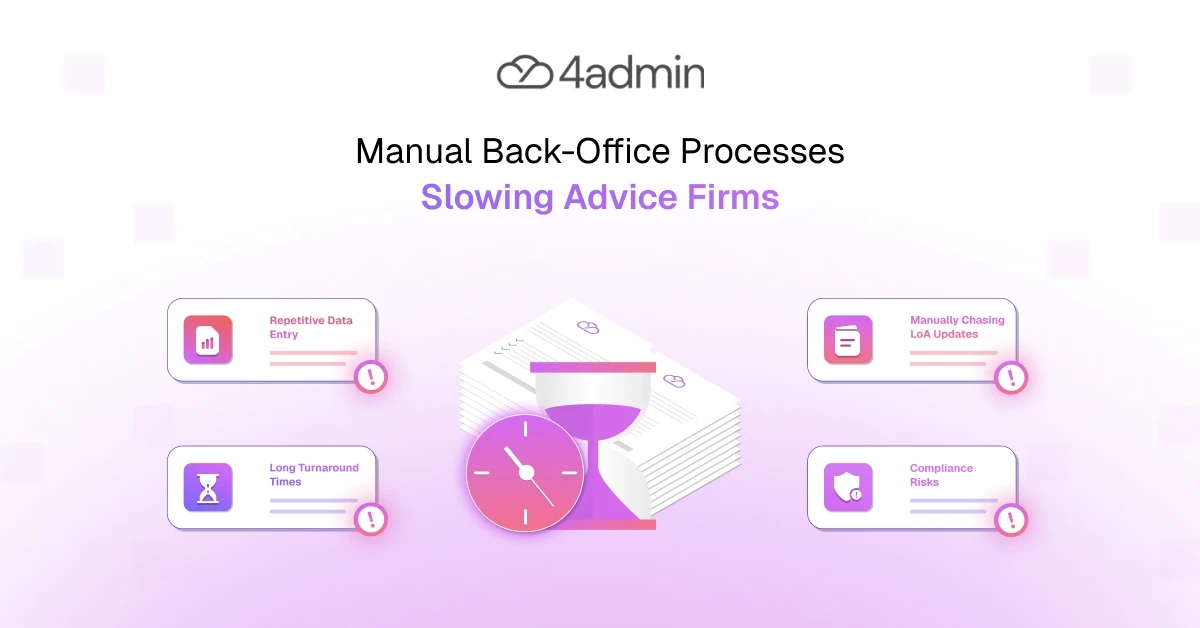
Manual back-office processes often seem manageable when an advice firm is small. A limited number of clients, cases and provider requests can be handled through email, spreadsheets and individual knowledge.
The problem appears when the firm grows. More clients create more documents, handovers, compliance checks, provider packs and follow-ups. The administrative workload can rise faster than revenue, creating a ceiling on growth.
Many firms respond by adding support staff simply to maintain existing service levels. That may increase short-term capacity, but it also puts pressure on margins. Unless the underlying manual administrative processes change, growth continues to demand more people, more coordination and more cost.
This blog helps you understand why manual back-office processes are slowing your advice firm and how you can break away from the manual work loop.
Why Manual Back-Office Processes Become a Growth Problem
Manual processing does not scale at the same pace as client demand.
Every new case can create additional:
Data entry
Document review
Provider chasing
Missing-information checks
Internal updates
Team handovers
As volumes increase, these repetitive tasks multiply. Paraplanners and admin teams spend more time keeping work moving, while advisers wait longer for usable information.
The result is:
Higher operating costs
Longer turnaround time
More pressure on support staff
Lower productivity
Reduced case capacity
The issue is not that teams are working too slowly. The operating model depends on people completing too many routine actions by hand.
Why Manual Back-Office Processes Create Bottlenecks That Slow Growing Advice Firms
Here's why manual back-office admin slows growing advice firms:
Duplicate Data Entry Across Disconnected Systems
Advice firms often re-key the same information across CRMs, financial planning tools, portfolio management platforms, billing systems and provider portals.
Advisers, paraplanners and admin teams lose time switching between systems and checking whether records match.
Double entry also increases the risk of:
Incorrect information
Duplicate records
Inconsistent data
Additional checking
Time-consuming rework
What looks like a simple data entry task becomes a wider operational efficiency problem. The more systems involved, the more effort is required to keep information accurate and consistent.
Information Is Scattered Across Too Many Places
Case information may sit across emails, spreadsheets, physical paperwork, shared drives, provider PDFs and separate portals.
Finding one figure or confirming one action can require staff to search several locations. This weakens case management, creates unclear ownership and slows internal handovers.
Without a structured view, teams cannot quickly see:
What has been received
What is still missing
Who owns the next action
When the last follow-up happened
Why the case has stalled
Staff may know that work is in progress without having a reliable picture of the full case.
Provider Documents Still Require Manual Analysis
Provider packs, Letters of Authority and client documents create a significant amount of manual back-office admin.
Teams may need to:
Prepare and check LOAs
Review provider packs
Extract key data
Identify missing fields
Structure information for advisers
Re-key information into the CRM
As case volumes rise, this document processing becomes increasingly labour-intensive.
Advisers may then be left waiting for information to be converted into a usable format before advice, onboarding or transfer work can continue.
Manual Processing Creates More Errors and Rework
Repetitive manual processing increases the likelihood of:
Incorrect entries
Missing information
Inconsistent records
Duplicate data
Unclear document sources
Each error creates more checking, correction and provider correspondence.
Poor data quality can extend turnaround time and increase compliance risk, particularly when teams cannot easily confirm where information came from or whether a record is complete.
This is why teams can appear constantly busy without improving case throughput. Time is being spent correcting and reconciling work rather than moving cases forward.
The Wider Cost of Back-Office Bottlenecks That Often Goes Unnoticed
Those costs are visible. Manual back-office processes carry others that usually go unnoticed:
Advisers Are Pulled Back Into Administration
When support workflows back up, advisers are often pulled into administrative work such as:
Finding missing information
Chasing case progress
Checking provider documents
Resolving internal questions
Confirming whether actions were completed
This pulls advisers away from client relationships, financial advice and revenue-generating work.
It also creates an expensive operating model because highly paid advisers are being used to unblock administrative workflows.
Paraplanners and Admin Teams Lose Time to Repetitive Work
Paraplanners and support staff can spend large parts of the day on:
Data entry
Document sorting
Provider chasing
Manual case updates
Missing-field checks
Copying information between systems
That limits the higher-value work they can complete and leads to poor resource allocation.
Skilled team members spend their time on repetitive tasks instead of work that requires judgement, analysis and experience.
The aim of workflow automation should not be to remove expertise. It should reduce low-value processing so paraplanners and admin teams can focus on quality control, adviser support and client outcomes.
Turnaround Times Increase as Volume Rises
Broken workflows become more visible as the number of clients and cases grows.
Common effects include:
Slower onboarding
Delayed provider-pack collection
Longer transfer timelines
Inconsistent handovers
Missed follow-ups
Cases waiting between teams
Workflow bottlenecks eventually affect the client experience, even when the firm continues hiring.
Service quality can fall because additional headcount is being added to an inefficient process rather than changing how work moves through the firm.
Headcount Grows Faster Than Revenue
Firms often hire more support staff to absorb rising administrative demand.
This may increase capacity temporarily, but it does not remove:
Duplicate work
Fragmented information
Manual data entry
Inefficient handovers
Unclear ownership
Operational costs continue to rise, profit margins come under pressure and headcount grows simply to maintain service levels.
The firm is not adding people to expand capacity. It is adding people to stop existing workflows from falling behind.
Why Technology Alone Does Not Fix Manual Administrative Processes
A CRM or automation platform will not automatically solve a broken workflow.
When firms digitise unclear or inconsistent processes, they often preserve the same workflow bottlenecks in a new system.
Common problems include:
Unclear ownership
Poor data quality
Inconsistent adoption
Unstructured case stages
Manual workarounds
Limited visibility between teams
When technology does not reflect how work is actually completed, staff create workarounds through spreadsheets, email and personal task lists.
Successful digital transformation requires process standardisation first. Firms need to define stages, ownership, handovers and required information before introducing complex automation.
How Growing Advice Firms Can Break the Manual Work Cycle
Here's how a growing advice firm can move away from manual back-office admin:
Audit the Process Before Automating It
Start by mapping how work moves between advisers, paraplanners, administrators, providers and systems.
Identify:
Repetitive tasks
Duplicate data entry
Delays
Rework
Unclear handovers
Stages where cases regularly stall
Prioritise the workflows that consume the most time or have the greatest effect on productivity and turnaround time.
Standardise Ownership, Case Stages and Handovers
Define who owns each action and what must happen before a case moves forward.
Create consistent stages for:
LOA administration
Provider-pack collection
Client onboarding
Transfer case management
Missing-information checks
Escalation and follow-up
This reduces dependence on individual knowledge and makes the process easier to manage as volumes increase. Process standardisation is what makes the next step worth taking.
Automate the Core Repetitive Tasks
Begin with routine, high-volume work such as:
Document sorting
Data extraction
Missing-field checks
Task creation
Follow-up tracking
Approval updates
Case-status updates
Focused workflow automation is usually more effective than trying to automate the entire firm at once.
It addresses the areas creating the most friction without adding unnecessary complexity.
Connect Systems and Reduce Double Entry
Data should move between the workflow layer, CRM and other core platforms without repeated manual entry.
Better integration can improve:
Data consistency
Operational efficiency
Case visibility
Turnaround time
Team productivity
Firms do not always need to replace their entire technology stack. A dedicated workflow layer can manage activity between existing systems and reduce the amount of manual processing required.
Give Teams a Structured View of Every Case
Teams need one structured view showing:
Case status
Current owner
Outstanding actions
Missing fields
Last activity
Next required step
This reduces time spent searching emails and documents.
It also supports faster decisions, clearer management information and better resource allocation across advisers, paraplanners and admin teams.
How 4admin Helps Advice Firms Reduce Manual Back-Office Admin
4admin supports LOA, provider-pack and transfer administration by reducing the amount of manual work required to collect, process and manage provider information.
It helps firms:
Process provider documents
Check for missing information
Extract relevant provider-pack data
Create structured, CRM-ready records
Track case progress
Clarify ownership
Identify outstanding actions
By acting as a workflow layer around existing systems, 4admin helps firms improve capacity without adding support headcount at the same rate as case volume. Because it runs inside the firm's own Microsoft 365 environment, provider email and case activity stay where the team already works, rather than becoming another system to keep updated.
It supports paraplanners and admin teams by reducing repetitive processing while keeping their expertise and oversight within the workflow.
Conclusion
Manual back-office processes are not only an administrative inconvenience. They affect capacity, adviser productivity, client service, operating costs and profit margins.
Adding more people or more software will not fix an inefficient underlying workflow. Scalable advice firms standardise processes, automate repetitive work and build infrastructure that allows revenue to grow faster than administrative demand.
That is how firms improve operational efficiency without allowing manual back-office admin to become a permanent limit on growth.
Back-office teams are most effective when they spend less time chasing tasks and more time delivering results. 4admin's Back Office Automation for Financial Services improves workflow visibility, accountability, and operational efficiency across your organisation.
Book a free call to explore how 4admin can modernise your back-office processes.
Frequently Asked Questions
How does poor case visibility affect adviser productivity and client service?
Poor case visibility takes advisers away from client work and into hunting for missing information and chasing progress. That reduces the time available for client-facing work, slows turnaround and increases missed follow-ups.
When should an advice firm stop adding headcount and change processes instead?
The signal is support cost per case rising while turnaround times get worse as volumes grow. If new hires are being used to stop existing workflows falling further behind rather than to expand capacity, the problem is the process rather than the headcount.
How do manual processes increase compliance risk in regulated advice firms?
Manual processes create inconsistent records, weak audit trails and missing or duplicated documents. That makes it harder to prove what was done, when and by whom if a file is ever reviewed.
Will buying a CRM solve my back-office bottlenecks?
Buying a CRM alone won't solve back-office bottlenecks because it often just digitises broken, manual workflows and poor data quality. The same duplication, handover gaps and rework persist inside a new system.
How do I measure which back-office workflows to automate first?
Score each workflow on frequency, time per run, error rate and the cost of errors, and how easy it would be to automate. Then prioritise the high-volume, time-heavy, error-prone tasks that are simplest to change, since those deliver the biggest monthly saving.
Ready to automate your admin processes?
Learn how you can reduce admin backlog, ensure compliance, and increase capacity.