
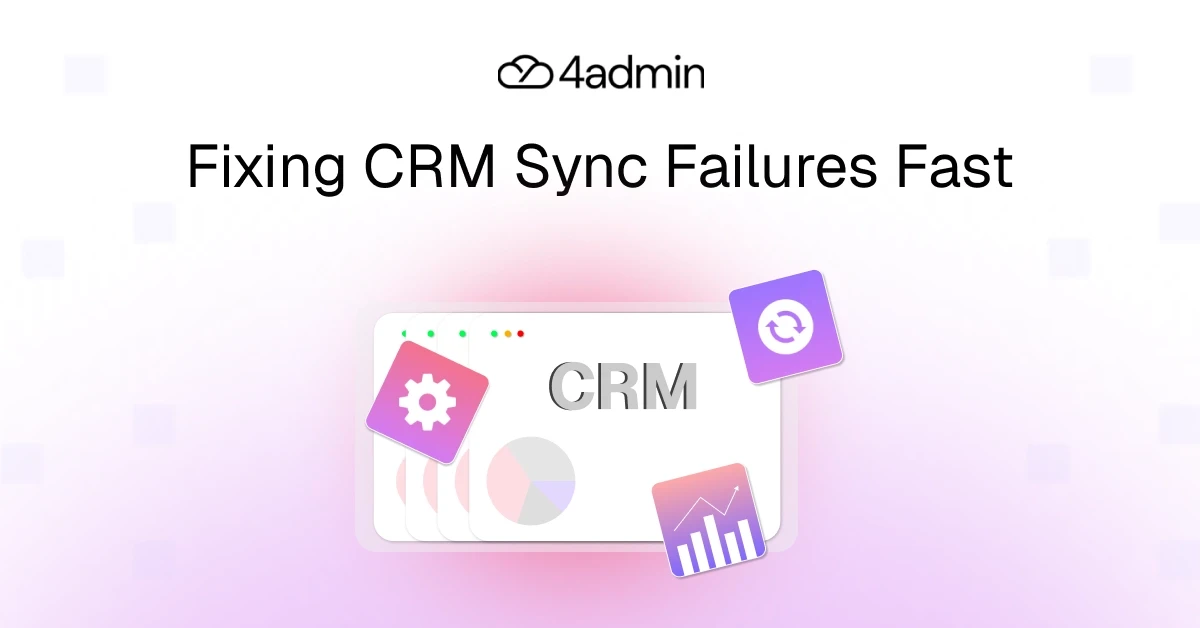
Most financial advice firms rely on multiple systems connected to their CRM, including provider platforms, marketing tools, back-office systems, and reporting software. These integrations are meant to keep client and policy data synchronised automatically.
But CRM integration problems are more common than many firms realise. Some CRM integration failures even happen silently, meaning records appear to sync but never actually update.
While firms remain oblivious to CRM sync issues occurring behind the scenes, missing client information, duplicate records, and inaccurate reporting continue to surface. This leads to disrupted workflows across advice and operations teams.
In this article, we’ll explore the most common CRM sync failures in financial advice firms, why they happen, and the practical steps firms can take to keep their CRM data accurate and reliable.
The Most Common CRM Sync Failures
Below described are the 11 most common CRM sync failures that an advice firm must have experienced more than once in their daily business operations:
Data Mapping Errors
Data mapping errors are one of the most common causes of CRM integration problems.
When two systems exchange data, each field must be mapped correctly between them. If the mapping is incorrect or the data structures do not match, the result is simple- failed synchronisation.
Typical data mapping problems include:
mapping a text field to a numeric field.
mismatched date formats.
incorrectly mapped custom fields.
incompatible schema changes between systems.
For example, if a workflow tool sends a text value into a CRM field expecting a number, the record may fail validation. In other cases, a field might appear to sync successfully but store incorrect data.
These mapping issues often emerge when systems evolve over time. A small schema change in one platform can break the integration if the mapping is not updated.
Without careful mapping, data can be lost, corrupted, or rejected during synchronisation.
Duplicate Records
Duplicate records are another common CRM sync issue.
When integrations are poorly configured, multiple systems may create records independently. This can result in several entries for the same client or contact.
The most common causes of duplicate records CRM sync problems include:
uncontrolled data entry across systems.
missing unique identifiers.
inconsistent matching rules between tools.
webhook events triggering multiple times.
Here, idempotency is often used as a solution. Idempotent integrations are used to make sure that duplicate records are not created if a same event is processed more than once. This integration ensures that the same request, even if repeated multiple times, will produce the same results.
Without idempotency controls, webhook retries or repeated events may end up generating multiple entries for the same client.
As a result, duplicate records can quickly pollute your CRM database, making reporting, segmentation, and automation unreliable.
Invalid ID
Invalid ID errors occur when the integration attempts to update or refer to a record that the CRM cannot identify.
Every record inside a CRM is associated with a unique identifier. Invalid ID errors typically occur when:
the integration sends an incorrect record ID.
the record has been deleted in the CRM.
the ID format does not match the CRM’s expected structure.
Integrations rely on these identifiers to locate and update the correct records during synchronisation.
Data Validation Rule Violations
Data validation rule violations occur when incoming data does not meet the rules defined within the CRM.
Common causes of validation rule violations include:
sending values that exceed field length limits.
submitting improperly formatted data.
failing conditional validation rules tied to other fields.
submitting values that do not match required patterns.
For example, a CRM may require that a phone number follow a specific format. If the integration sends a number that does not match the expected structure, the record update will fail.
These validation conflicts often appear when external systems store data differently from the CRM.
API Limit Breaches / Rate Limiting
APIs are integral to CRM integrations in order to exchange data between systems.
However, CRM platforms typically enforce API rate limits to prevent excessive system load.
When an integration exceeds these limits:
synchronisation may pause
records may fail to update
entire sync processes may stop
This type of CRM integration failure often occurs in cases of bulk imports, large data migrations, or high-frequency update events.
For example, if multiple systems attempt to update records simultaneously, they may exceed the allowed API requests per minute. When this happens, the CRM rejects the requests until the limit resets.
Note: Integrations that include retry logic and request throttling can help manage these limits more effectively.
Required Field Conflicts
Many CRM platforms require certain fields to be populated before a record can be created or updated.
If the source system sends incomplete data, the integration will fail.
For example:
the CRM requires client NI Number,
the source system does not provide that information.
Without fallback rules or validation checks, the record cannot sync.
Required field conflicts are a frequent source of CRM sync issues, particularly when integrating systems that store different types of data.
Proper validation rules and data enrichment can help prevent these failures.
Out-of-date Updates
Out-of-date updates occur when multiple changes happen quickly and the systems process them in the wrong sequence.
For example:
A client record is updated and sent to the CRM
An earlier version of the same record arrives afterward.
If the integration processes the second event last, the older data may overwrite the newer information.
This issue is particularly common in event-driven integrations where multiple updates are triggered rapidly.
Maintaining clear event logging can help detect these situations and allow systems to process updates in the correct order.
Failed Authentication
Authentication failures can stop integrations completely.
Common causes include:
expired API keys
password changes
revoked credentials
When authentication fails, synchronisation stops until the connection is restored.
Without monitoring, these failures can persist for days or weeks before anyone notices the problem.
‘Picklist’ Value Discrepancies
Many CRM fields rely on pre-defined picklists.
If the integrated system sends a value that does not exist in the CRM’s allowed list, the update fails.
For example:
CRM value: Referral
External system value: Client Referral
Although the two values appear similar, the CRM does not recognise them as the same option.
This type of data mapping issue is common when systems maintain different picklist structures.
Aligning values across systems prevents these synchronisation errors.
Filter Misconfigurations
Integration filters determine which records should sync between systems.
If these filters are configured incorrectly, important data may never reach the CRM.
Examples include:
failing to sync new leads.
excluding inactive clients unintentionally.
filtering records based on incorrect criteria.
These missed event CRM integration issues often occur when filters are modified without fully understanding their impact.
Silent Failures of CRM Integration
Silent failures are among the most dangerous CRM integration failures.
In these cases, the integration appears to run successfully, but the data is not actually updated.
Silent failures can occur due to:
hidden validation rules
rejected records
unhandled errors
missing webhook retries
Because these failures produce no visible alerts, they may remain undetected for long periods.
Maintaining proper event logging and monitoring systems helps identify silent failures before they affect operations.
How to Avoid CRM Sync Failures
Here are 7 tried and tested ways to avoid CRM sync failures and to keep your CRM data accurate and reliable:
Carefully Map Fields Between Systems
Accurate data mapping is the foundation of reliable integrations.
Before enabling any integration, teams should:
audit all fields in both systems
confirm matching data types
validate mappings thoroughly
Mapping errors are one of the leading causes of CRM integration problems, so careful planning is essential.
Standardise Data Formats
Consistent data formats help systems communicate more reliably.
Firms should standardise formats for:
dates
addresses
currencies
contact details
Standardisation reduces validation errors and improves the accuracy of CRM sync processes.
Implement Data Validation Rules
Validation rules help prevent bad data from entering the system.
Examples include:
format validation
required field checks
duplicate detection
These rules improve data quality and reduce the risk of failed integrations.
Monitor API Usage
Monitoring API rate limits is essential for preventing sync disruptions.
Organizations should track:
API request volumes
rejected requests
system performance
Many teams implement retry logic and request throttling to manage usage effectively.
Use Alerting and Monitoring
Integration platforms should generate alerts when problems occur.
Alerts may include:
failed sync jobs
authentication failures
abnormal error rates
Monitoring tools help teams detect CRM sync issues early before they create larger operational problems.
Test Integrations in a Sandbox
Before deploying new integrations or updates, teams should test them in a sandbox, or staging, environment.
This allows developers to simulate real scenarios using a test harness that replicates live system behavior.
Testing can reveal issues such as:
incorrect field mappings
API limit conflicts
webhook retry failures
Sandbox testing ensures integrations work properly before reaching production systems.
Treat Integration as an Ongoing Process
Lastly, CRM synchronisation is not a one-time setup.
Successful integrations require ongoing oversight, including:
regular data audits
monitoring integration performance
reviewing schema changes
periodic data cleansing
If a system experiences downtime or data loss, a backfill process may be required to restore missing records.
Continuous maintenance ensures CRM data remains reliable.
The Hidden Operational Risks of Sync Failures
The technical issues with CRM synchronisation problems create operational challenges for advice firms. The advisory firms experience operational problems through three main effects of their system failures:
The first problem occurs when client records become incomplete because essential information is not available.
The second problem occurs when teams need to spend extra time to find and fix data problems which already exist in the system.
The third problem occurs when employees need to input data again which should already exist in the system.
The trust between teams and the CRM system breaks down when system connections fail multiple times leading teams to stop using automated systems.
Why Systems Architecture Matters More Than Integrations
Many firms believe that adding more integrations will solve their CRM integration problems.
In reality, each new integration introduces additional failure points.
A more reliable architecture often looks like this:
Provider Systems
↓
Workflow Processing Layer
↓
Validated Structured Data
↓
CRM
Instead of sending raw data directly into the CRM, information passes through a processing layer that validates and structures it.
This architecture reduces errors, prevents duplicate records, and improves overall CRM reliability.
Also read: Integration Architecture for Small Advice Firms
How 4admin Helps You Avoid CRM Integration Problems
Many CRM sync issues originate from unstructured provider data and manual data extraction.
4admin helps address this problem by acting as a processing layer before CRM synchronisation.
This allows firms to:
extract structured data from provider documents.
validate information before syncing.
reduce manual data entry errors.
maintain audit trails for compliance.
improve the reliability of CRM updates.
By processing and validating information first, firms avoid pushing raw data directly into the CRM.
This significantly reduces CRM integration failures and improves overall data quality.
Conclusion
CRM integrations don’t fail because systems can’t connect. They fail because the data moving between them isn’t properly managed.
Issues like incorrect field mapping, duplicate records, API limits, authentication errors, and silent sync failures often stem from pushing inconsistent or unstructured data directly into the CRM.
The solution isn’t just better integrations, it’s better data preparation.
When firms structure, validate, and monitor data before it reaches the CRM, synchronisation becomes more reliable. With 4admin acting as the processing layer, your CRM receives clean, validated, and structured information every time.
Disconnected systems and manual processes make it difficult to manage growing workloads. 4admin's Back Office Automation for Financial Services gives teams greater visibility, structured workflows, and improved operational control.
Book a free call to see how 4admin helps streamline your back-office operations.
FAQs
What causes data format errors in CRM syncs, and how do I fix them?
Mismatched field types like text in numeric fields or picklist value conflicts cause failures; standardise formats across systems and use data transformation rules before syncing.
What are common validation rule errors in CRM integrations?
Missing required fields, invalid data formats, key field omissions, or data exceeding character limits block syncs; review custom CRM rules and populate mandatory fields via forms.
How to fix field mapping problems between CRM and marketing tools?
Misaligned field names (e.g., "stage" vs. "lifecycle") cause issues; manually remap fields or use middleware like Zapier to align schemas automatically.
Why do API changes break CRM syncs with third-party apps?
Version updates alter endpoints, data structures, or authentication, disrupting calls; monitor changelogs, test post-update, and implement version-tolerant integrations.
How can I troubleshoot CRM sync errors without engineering help?
Check sync logs for patterns like auth failures, reauthorize connections, audit mappings, and use no-code tools like Stacksync for automated detection.
What is the best tool for CRM integrations for financial advice firms?
Equisoft CRM is the best for financial advice firms due to its compliance-focused integrations and 4.8/5 rating, while 4admin enhances admin dashboards for multi-CRM oversight.
Ready to automate your admin processes?
Learn how you can reduce admin backlog, ensure compliance, and increase capacity.